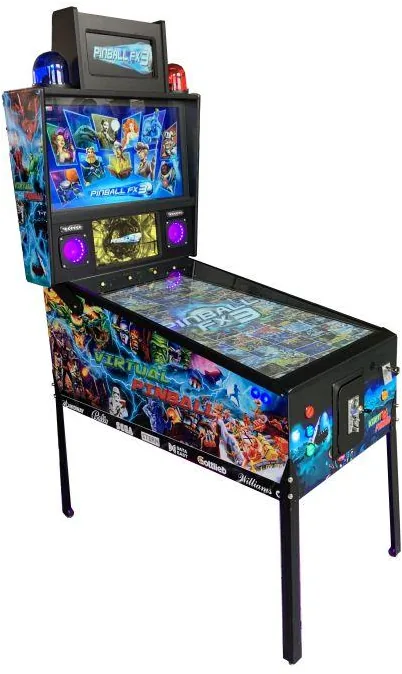
A compact 43″ VPIN virtual pinball machine available for daily, weekly or monthly rental. Loaded with thousands of full-colour games on board, it is a guaranteed crowd-puller at events, brand activations and parties — expect people to line up and play. Every pinball table you have ever loved is likely already in there.
Ex-VAT · EU businesses outside NL pay 0% VAT with a valid VAT number (entered in the cart).
Rentals ship from our service centre in the Netherlands. We arrange delivery and return for you — to a trade-show stand, an office, or straight to your door for a smaller event or party, anywhere in Europe. Tell us where and when and we’ll quote it. For bigger or repeat use, buying can beat rental-plus-transport — just ask for both prices.
A compact 43″ virtual pinball machine you can rent by the day, week or month — the classic VPIN computerised cabinet loaded with thousands of full games on board.
This is the classic VPIN virtual pinball machine: easy to set up and packed with enough tables to play a new game every day for years to come. It is built to perform at events, brand activations and parties, where it reliably draws a crowd and keeps people lining up to play.
Every pinball game you have ever played is likely included here — from the classics you grew up with to thousands of full-colour, hi-res tables you have never had the chance to try. There is a good chance you will never see them all, but you are guaranteed to find your favourites in among them.
Why it works on the floor
A pinball cabinet is an instant magnet at any activation. People recognise it on sight, step up without being asked, and stay — which is exactly the dwell time you want on a stand. The single-player focus creates natural turn-taking and a small queue, so the machine signals “something good is happening here” from across the room. That pulling power makes it a buy-once asset that earns its keep across show after show, and a frictionless way to reward visitors without managing prizes or stock.
A library too big to count
They could never have imagined it back in the day, and it is still hard to grasp now, but this machine really does hold a massive on-board library of full games. Want something familiar? It is in there. Want a surprise? Let one of the thousands of tables you have never played before pull you in. For an event, that variety means the experience never goes stale across a multi-day run — every visitor finds a game that lands.
Also searched as: virtual pinball rental, VPIN machine hire, digital pinball cabinet.
Available for daily, weekly or monthly rental for events, brand activations and parties.
This EC Declaration of Conformity (Annex II.1.A, Machinery Directive 2006/42/EC) confirms that the RENT A PINBALL MACHINE FOR A DAY OR WEEK- VIRTUAL PIN WITH 1.000 GAMES, manufactured by Made for Arcade B.V., Besterdstraat 9a, 5051HH Goirle, Nederland, complies with the relevant provisions of the Machinery Directive 2006/42/EC, EMC Directive 2014/30/EU and RoHS Directive 2011/65/EU.
Harmonised standards applied: EN ISO 12100:2010, EN IEC 61000-6-1, EN IEC 61000-6-3, EN IEC 63000. The technical file is held by the manufacturer at the address above.
The virtual pinball machine is a hardware cabinet — displays, lighting, sound and force-feedback components — that runs third-party open-source pinball software (not included). This manual covers safe use, the controls, the coin acceptor, cleaning, and how to shut it down correctly.
Caution: the machine weighs over 170 kg on four small feet — always place it on a stable, level surface that can carry the weight. Always shut the software down correctly before switching off, or you risk software faults that are not covered by warranty.
Disclaimer
Made for Arcade makes no representations or warranties with respect to this manual and, to the maximum extent permitted by law, expressly limits its liability for any failure to conform to any warranty resulting from the replacement of this manual with another. In addition, Made for Arcade reserves the right to revise this publication at any time without obligation to notify any person of the revision.
The information in this documentation contains general descriptions and/or technical characteristics of the performance of the machine mentioned in this documentation. This documentation is not intended as a substitute for, and should not be used to determine, the suitability or reliability of this machine for specific user applications.
It is the duty of such user or system integrator to carry out — in relation to the relevant specific application or use of the product — an adequate and complete risk analysis, evaluation and testing of the products.
Please note: all images used in this manual are for illustrative purposes only and may differ from the actual product. This is because the colours, dimensions and other properties of the actual product may differ from the image.
Made for Arcade and/or its affiliates or subsidiaries are not responsible or liable for any misuse of the information contained in this document. If you have any suggestions for improvements or changes, or have found any errors in this documentation, please let us know.
All relevant national, regional and local safety regulations must be followed when installing and using this machine. For safety reasons and to ensure compliance with the documented system data, the components may only be repaired by the manufacturer.
If machines are used for applications with technical safety regulations, the relevant instructions must be observed. Failure to observe this information may result in personal injury and/or damage to the machine.
This machine is intended for entertainment purposes only. It is not intended for use for profit, for the wagering or payout of money, or for gambling or games of chance. Made for Arcade makes no representation or warranty that the use, installation or operation of this machine is permitted or lawful in any particular region, country, jurisdiction or venue. It is the sole responsibility of the buyer and/or end-user to ensure that their use of the machine complies with all applicable laws, regulations and licensing or permit requirements (including any gambling, gaming or amusement regulations).
This is the English user manual (or an automatic translation thereof). Manuals in other languages may be available on request.
Power supply and surge protection
Arcade and entertainment machines are computer-controlled and contain sensitive electronics. Mains power at events, venues and even ordinary outlets is frequently unstable or “dirty” — voltage spikes, surges, sags and brown-outs, flicker, overloaded or shared circuits, generators, long extension runs and the switching of nearby equipment can all push the supply outside the machine’s safe operating range.
You must always connect the machine through a good-quality surge protector, and — wherever the supply is unreliable or the machine must not lose power unexpectedly — through an uninterruptible power supply (UPS). These sensitive machines cannot tolerate power spikes, surges, brown-outs or sudden cut-offs.
Damage, data loss or malfunction caused by power-supply problems is not covered by warranty. Failure to use adequate power protection can lead to machine malfunction and, in some cases, a risk of fire or bodily harm. If you are unsure about your power supply, consult a qualified electrician before use.
Duty cycle and cooling breaks
These machines are built for event and venue use, not uninterrupted operation. Their motors, power supplies, controllers and lighting generate heat, and running continuously lets that heat build up beyond the safe operating range. Do not run the machine continuously for more than 4 hours. After every 4 hours of use, switch it off completely for at least 10 minutes, by disconnecting the power supply, to let the components cool before resuming.
Overheating from exceeding this duty cycle can cause reduced performance, premature wear, component failure and, in some cases, a risk of fire or bodily harm. Damage or malfunction resulting from continuous operation beyond these limits, or from inadequate cooling breaks, is not covered by warranty. Always keep air inlets and outlets clear and unobstructed.
Support and service
For more information, service, technical support, ordering user manuals, or for any other questions, please contact: Made for Arcade Besterdstraat 9a, 5051HH Goirle, The Netherlands Email: [email protected] · Web: madeforarcade.com
Machine description
The virtual pinball machine is a hardware system made up of several displays, lighting systems, sound systems and moving force-feedback components. One player at a time controls the game with a few buttons. The components are driven by pinball software the user installs — software is not part of the scope of delivery. Many software variants exist, and depending on the configuration and software chosen the machine can hold hundreds to thousands of games. Each game controls the hardware in its own way, so volume, vibration force, ball-launch behaviour, force feedback, gravity simulation and flipper response are all determined by the software and can vary greatly from game to game.
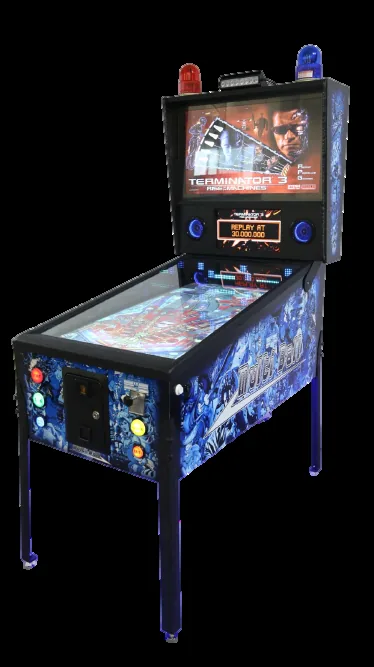
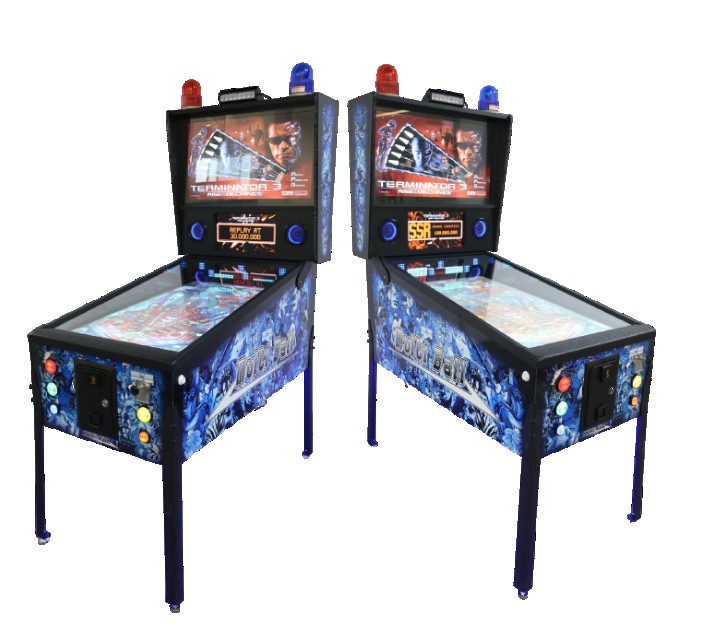
The virtual pinball cabinet.
The cabinet is pre-wired for upgrades — loose or unconnected cables inside are normal.
Intended use
The machine is a “hardware shell” without its own software, intended for the later installation of open-source pinball software that is freely available from third parties. It is intended for home entertainment use and is not designed or intended for commercial use. The minimum age for use is twelve; underage players should only use the machine under adult supervision.
Scope of delivery
Virtual pinball machines are supplied without software — you purchase the hardware (cabinet + physical components) only, so this manual does not cover installing or configuring software. The machine may include encrypted demo software with a few playfields, intended only to confirm the hardware works correctly; no rights can be derived from it. Pinball software and playfields can often be downloaded free from the internet (e.g. pinballx.com, vpforums.org), but their operation, supply and availability are outside Made for Arcade’s influence and no rights can be derived from them. Because the cabinet is pre-wired for all conceivable upgrades, you may find loose or unconnected cables, switches or parts inside — this is normal.
Safety warning
Follow these safety warnings to avoid injury or damage to the machine.
Weight: the machine weighs over 170 kg, carried on 4 small adjustable feet — always place it on a stable, safe, level surface that can support the weight.
Suffocation: the locks use small attached keys — a choking/swallowing hazard. Keep them out of the reach of children and store them safely.
Hearing damage: the machine can produce loud sounds for long periods. Don’t stand too close to the speakers and don’t turn the volume up too loud.
Electrocution: always remove the plug from the socket before opening any access door — there may be live parts inside. Close and lock the doors before plugging back in.
Gaming addiction: video games can be addictive. If you notice symptoms such as fatigue, insomnia or irritability, seek professional help (e.g. the Trimbos institute / Gaming Infoline).
Preparation for commissioning
Follow the unpacking instructions carefully to avoid damage. The machine operates on 220/240 V / 50 Hz. Inspect the outside, inside and connection cord for defects or loose connections — open all panels and doors and check the wiring and components. Do not connect the machine if anything is damaged. Close and lock all doors and panels with the enclosed keys, then insert the connection cable into the back and plug into a proper socket.
Switching on the machine
Following the wrong power-on procedure can cause immediate damage or malfunction. Turn on the main switch on the back of the machine (next to the connection cable). If present, also turn on the main switch at the bottom of the cabinet (a concealed panel in the base plate — not every configuration has a second switch). Wait until the machine has fully started and Windows and any flipper software are active. Do not interrupt the start-up — it may take several minutes.
Operation buttons — side of the machine
Once started, the player controls the game with buttons on the cabinet. Note: each game assigns its own functions, so a button can do different things in different games.
Left flipper button: previous game / previous menu option, or moves one or more flippers in the game.
Right flipper button: next game / next menu option, or moves one or more flippers.
Left / right magna-save (above the flipper buttons): a special function depending on the game — often used for mini-games or to activate simulated electromagnets that influence the ball.
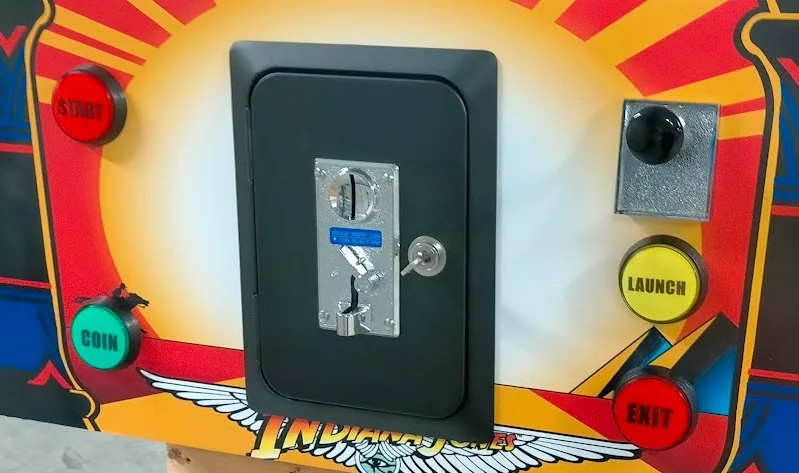
Operation buttons — front of the machine
START: starts the selected game or confirms a selection.
COIN / MUNTINWORP: simulates a coin insert and adds a credit to the selected playfield (some playfields need more than one credit).
LAUNCH: on some playfields, launches the ball or has a special game function.
A/D-PLUNGER: on some playfields, launches the ball proportionally with this trigger.
EXIT: returns to the main menu to select another game.
The front control buttons.
Operation buttons — inside the machine
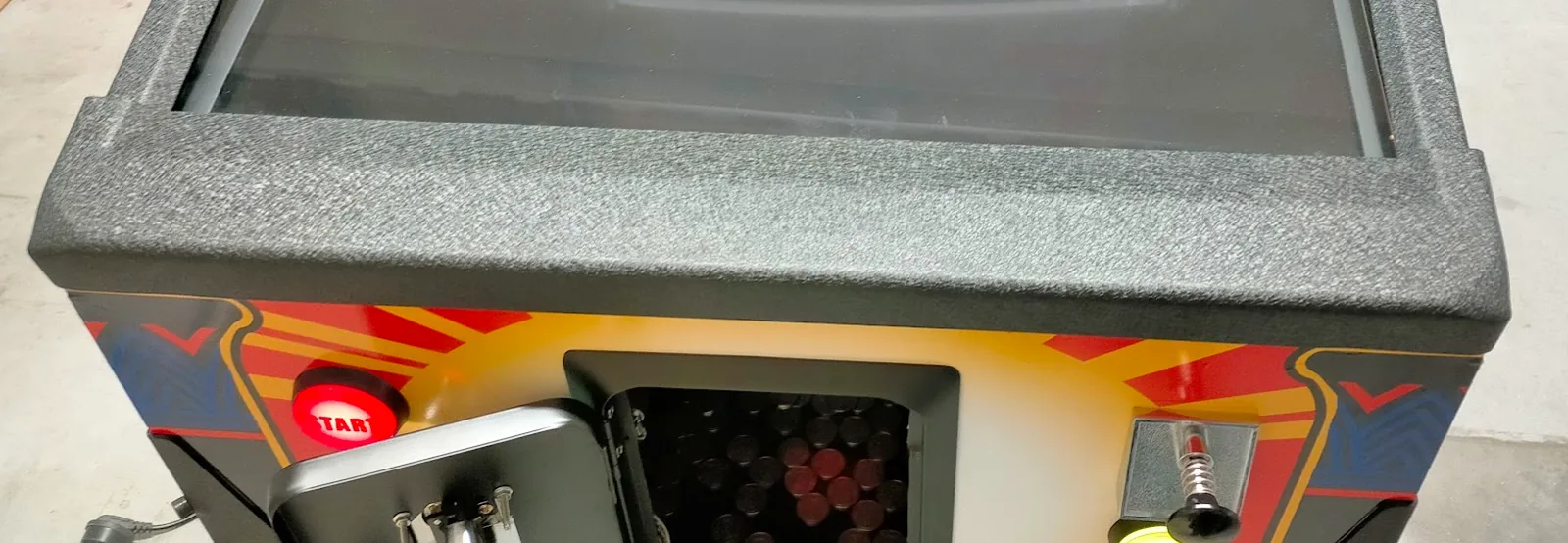
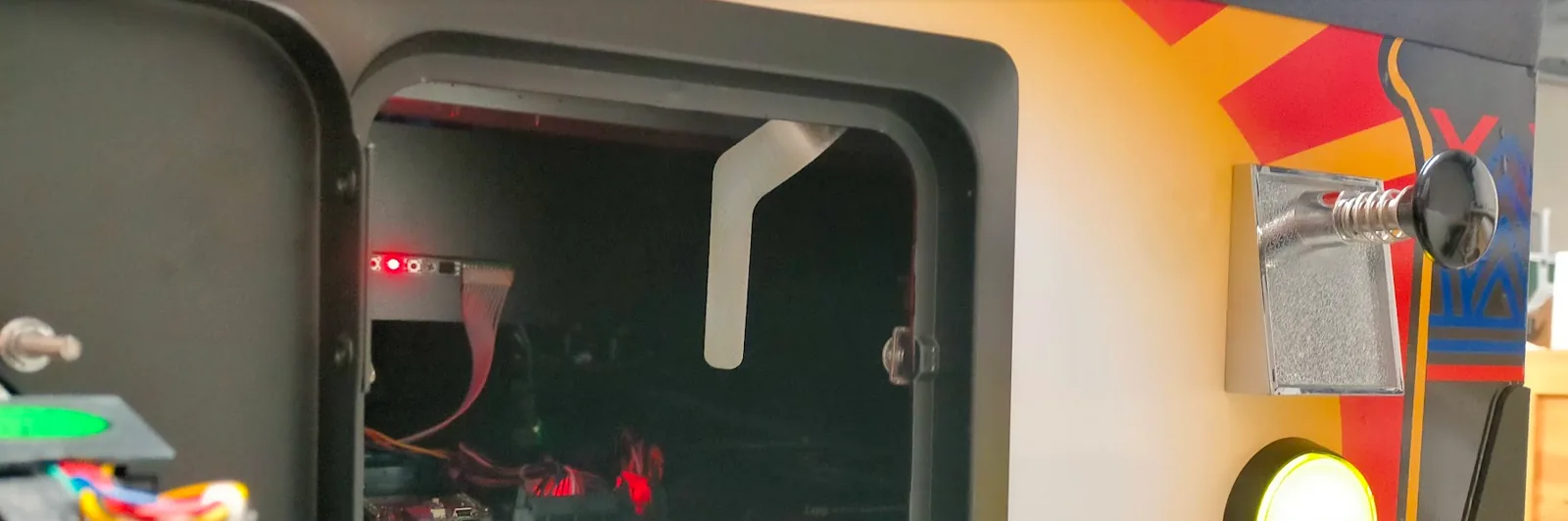
There are a few more controls behind the coin-slot door (open the metal coin door with the key). Electrocution hazard: always remove the plug before opening access doors; never touch live parts.
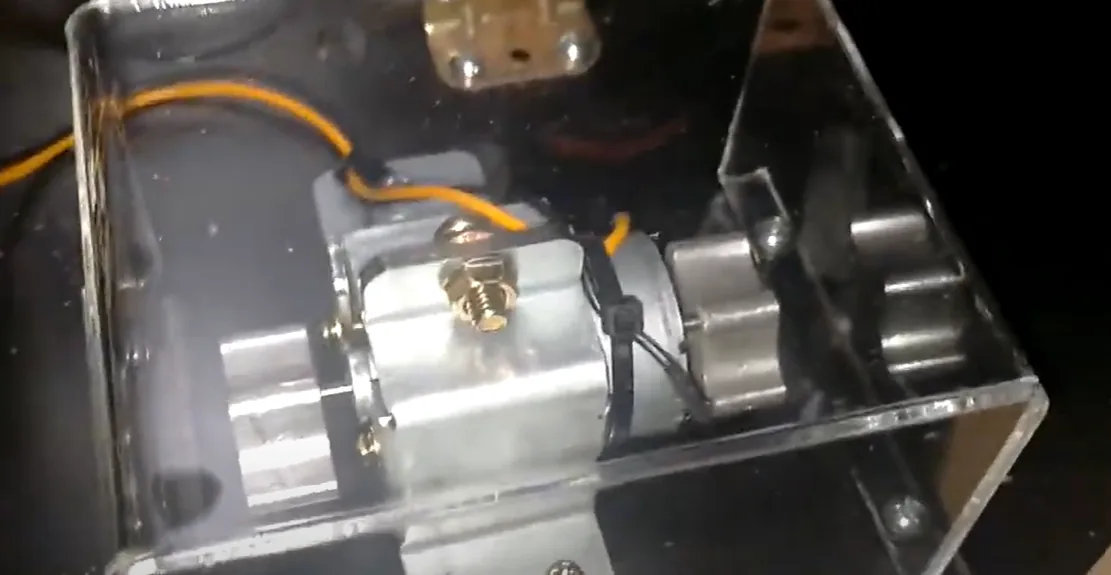
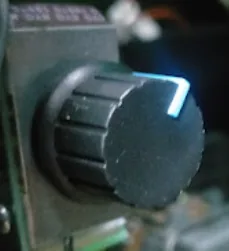
Vibration potentiometer (left of the door, at the back): a rotary potentiometer adjusts the force-feedback vibration motor. Don’t set it too high — just enough that a slight movement is felt; frequent heavy vibration can damage components over time. (Each game also controls vibration, so it varies per game.)
The force-feedback vibration motor.
The vibration-strength potentiometer.
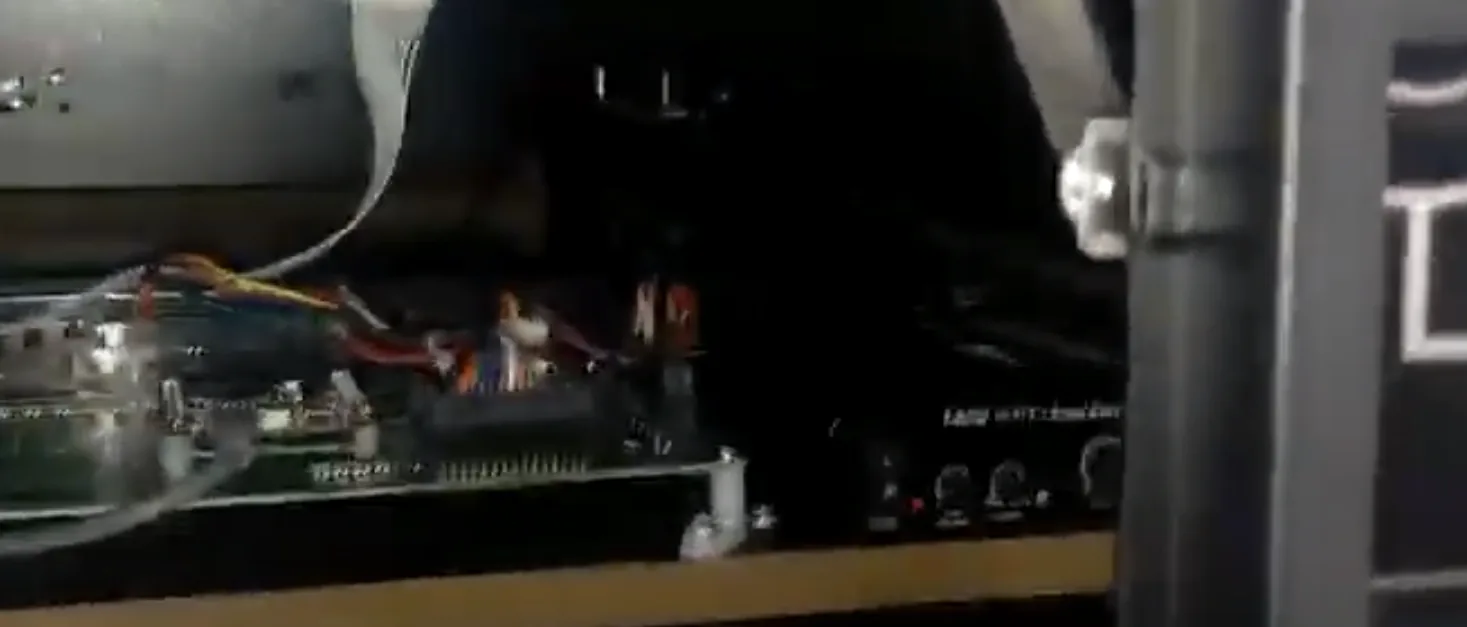
Audio controls: in the front, behind the coin insert, an audio amplifier has knobs for volume and bass. Don’t set the sub-woofer bass too loud — excessive vibration can damage subwoofers. (Volume is also controlled per game.)
The audio amplifier (volume / bass).
Switching off the machine
Following the wrong shut-down procedure can cause immediate damage or software malfunctions — these faults are not covered by warranty. Depending on the version, the cabinet has a hardware “soft-exit” button under it, or you shut down via a software “shut down computer” option in the front-end menu (e.g. PinUP Popper).
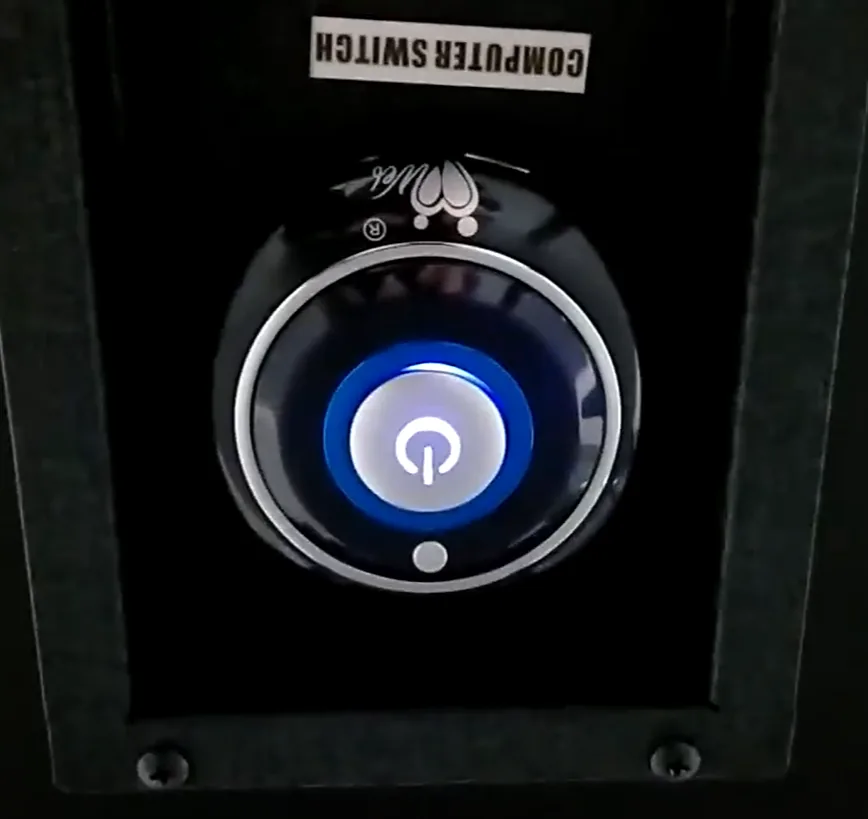
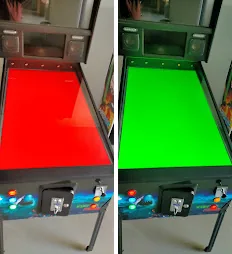
Hardware “soft-exit” button: briefly press the large round “soft shutdown” button once — it’s in a concealed switch panel and usually has an on/off symbol (do not press the small button shown in the photo). Then wait until the machine has completed the entire shutdown and Windows has closed correctly — the screens turn black and then change colour to prevent burn-in. Only then turn off the main switch at the back.
The round “soft-exit” shutdown button (do not press the small button).
Taking the machine out of service
Wait until the software has finished shutting down and the screens change colour periodically (screen saver). Turn off the switch at the back and remove the plug so the power is completely interrupted. Do not leave the machine unattended while connected to the power supply.
Coin training
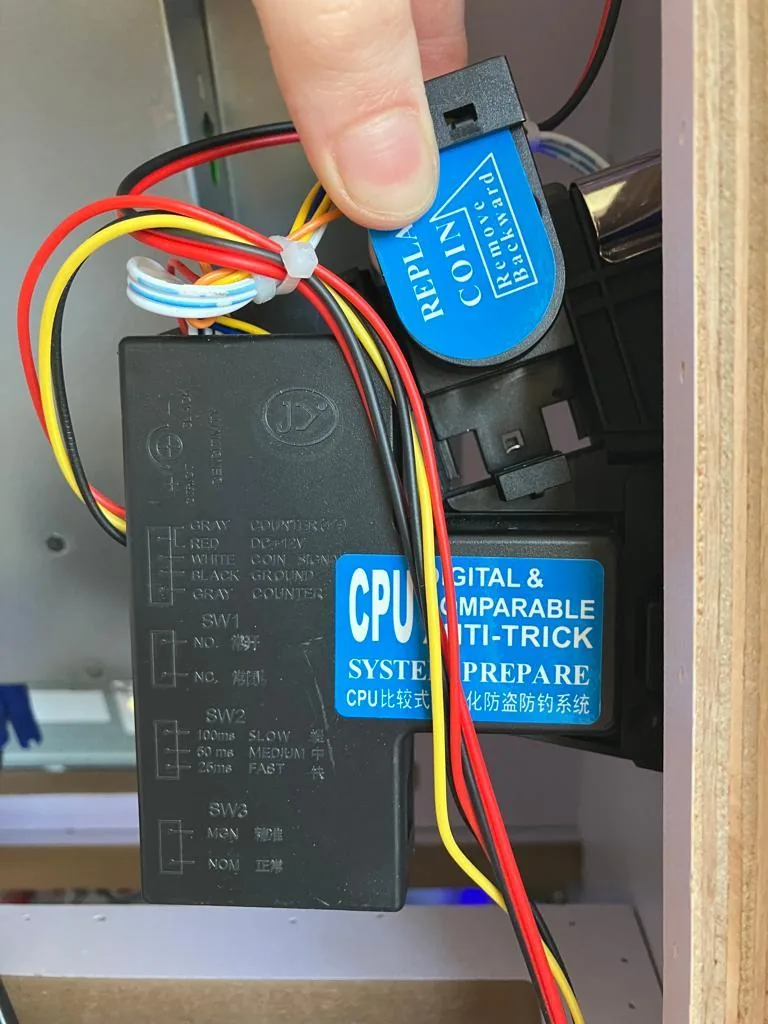
The coin acceptor is either empty or already trained for Made for Arcade coins. If it is empty and the machine is not on free play, place a sample coin: the acceptor has a spring-loaded clamp slide with a slot — hold the slide up, slide a coin into the slot, then slowly and carefully lower the slide with the coin in it. Lock the machine, switch it on, and insert a coin of the same type at the front. The acceptor compares each coin with the sample; matching coins go to the cash drawer and add a credit. Only use coins 18–25 mm in diameter and 1.6–2 mm thick.
Hold the clamp slide up and place a coin in the slot.
Lower the slide with the coin in between.
Cleaning the glass plate / monitor window
The playfield is a high-resolution monitor that builds static and attracts dust; over time dust can collect under the playfield window. To remove and clean it:
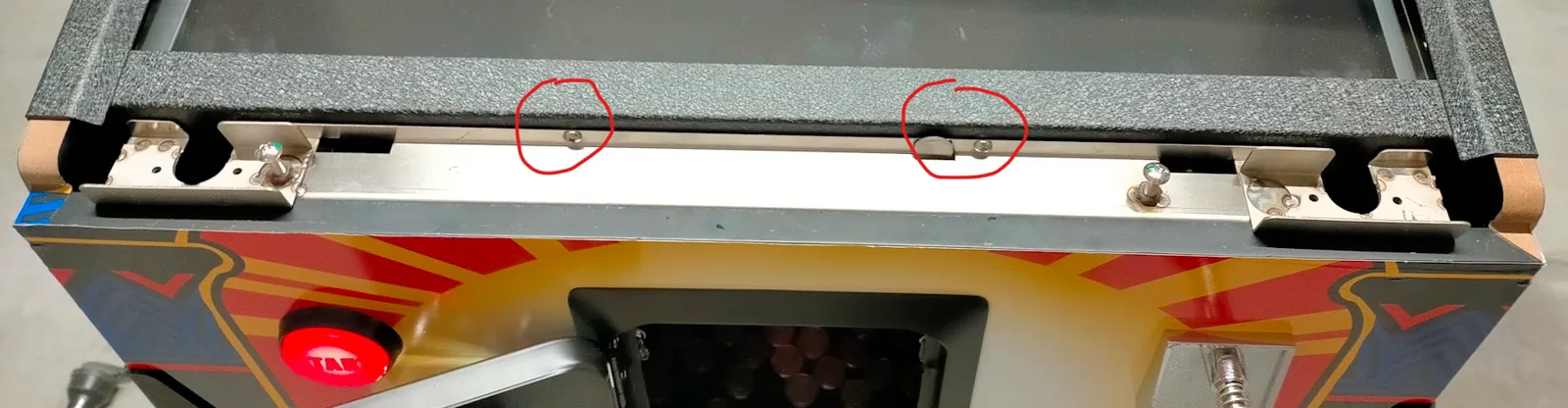
Remove the lock bar by sliding the lever inside the coin door to the left, then carefully pull the lock bar up and out.
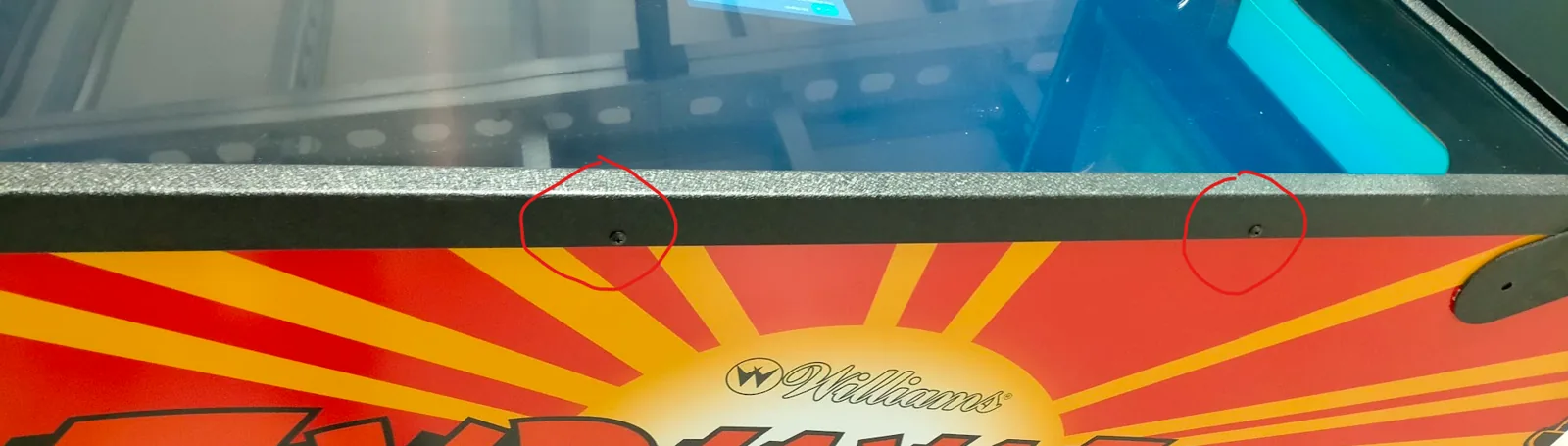
Unscrew the 2 screws that hold the glass plate (not present on all cabinets).
Unscrew the metal profiles on both sides (2 screws each) and remove the profiles.
Carefully slide the glass plate forward out of the slots. The glass plate is quite heavy.
Release the lock bar.
Unscrew the glass-plate screws.
Remove the side profiles.
Slide the (heavy) glass plate out.
Frequently asked questions
How do I disable the “coin” button? Inside the machine, remove the micro-switch from the back of the push button (turn it a quarter-turn anti-clockwise). The coin button will then no longer simulate a coin insert.
What are the black flipper (magna-save) buttons for? Their function depends on the game — the game’s creator can assign special functions to each, so it differs every time.
Why doesn’t launching the ball with the trigger work? Some games use the LAUNCH button instead of the trigger; it differs per game.
My flippers seem slow to respond — what’s going on? The dynamics are entirely software-determined. Some games feel slow or “springy” on purpose — the game maker decides how the flippers respond.
Why doesn’t my pinball machine respond as I expect? Everything — friction, gravity, ball weight, speed, randomness and more — is set by the game’s programmer in software; the cabinet only responds to what the software commands. The user can reconfigure it, but that’s outside the hardware’s scope of delivery.
When do the sirens / flashing lights come on? Sirens aren’t supported by all games — it depends on the game’s designer (e.g. some games activate them on sufficient points/bonuses).
Which pinball games are best? Quality varies a lot, and old games can now feel unplayable. In short: VPX (Visual Pinball X / VP10) is usually excellent and the best choice — it simulates gravity and friction very realistically. VP9 cabinets are dated. Pinball fantasies has engine flaws. FX-3 is superior commercial quality (via Steam) but looks more arcade than authentic; FX-2 is the outdated version — upgrade if you can.
Specifications
Size
139 × 81 × 190 cm (high)
Power
220/240 V — 2.5 A max
Main playfield monitor
up to 49″ UHD
Weight
170 kg
Operating system
user’s choice
Payment
coin-operated or free play
Speakers
dual + 4 top-mounted speakers
Addendum A — standard button functions (PinUP Popper front-end)
Start: starts a selected game from the menu.
Extra ball: go one step up the menu hierarchy (back to main menu).
Coin: simulates one coin.
Launch: launch the ball.
Exit: exit the game and return to the selection menu.
Left / right flipper button: move anti-clockwise / clockwise through the available menu options or games.
Left / right magna-save: go to the previous / next letter of the alphabet to select games.
Addendum B — shutting down the demo software
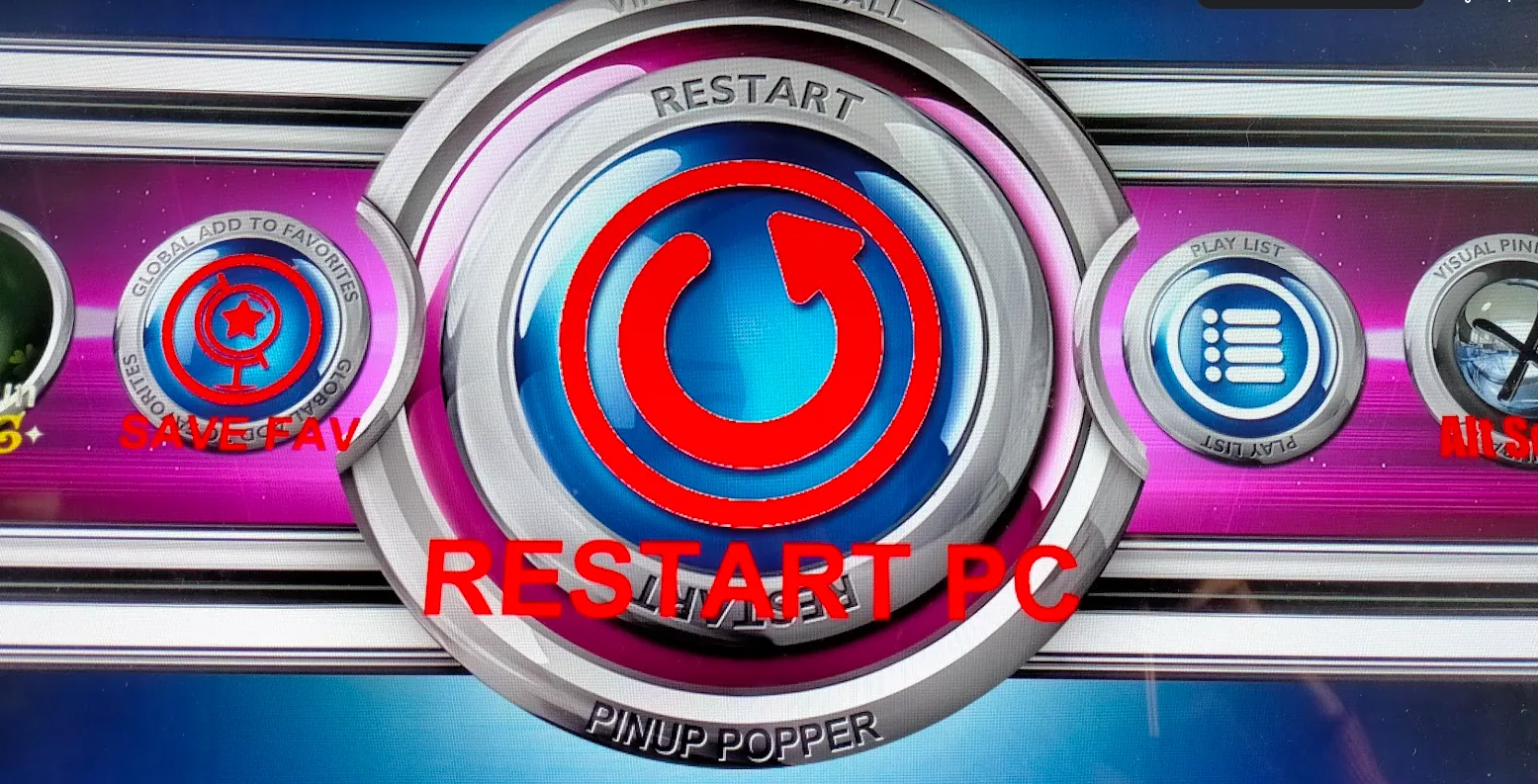
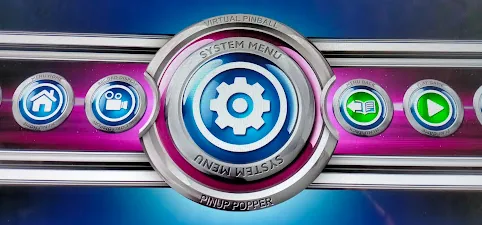
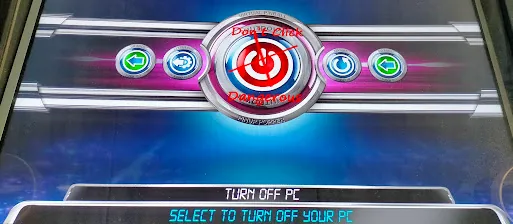
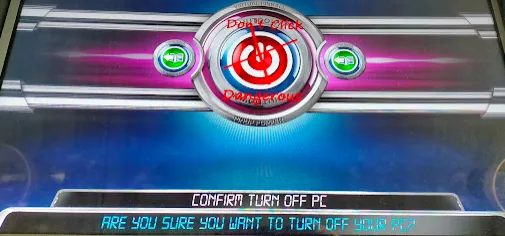
Shut the machine down correctly via the software to avoid problems with Windows and the software (software problems and demo software are not covered by warranty). Exit the active pinball game and return to the menu (use EXIT if needed), go all the way to the main menu (use EXTRA BALL if needed), then: RESTART PC → SYSTEM MENU → TURN OFF PC → click the OFF button twice. Wait until all screens go full-screen and change colour, and only then switch the machine off with the main switch.
Restart PC → System menu.
Turn off PC.
Click the OFF button.
Wait for the screens to change colour.
Only now switch off at the main switch.
Precautionary measures
Place the 170 kg machine only on a stable, level surface that can carry the weight.
Always shut the software down correctly before switching off — improper shutdown faults are not covered by warranty.
Remove the plug before opening any access door; never touch live parts.
Keep volume/bass moderate to protect your hearing and the speakers.
Do not disassemble, alter or modify the machine without our permission.
Custom-brandable, coin or free play, foldable, premium sound
Contains
300+ games
Reference
26inch-fullsize-tearplate-classic-rental-1
Specifications may vary or change over time. Verify all specifications prior to purchase. No rights can be derived from this information.
Questions
Can it be branded with our design?
Yes — most machines can be branded by our design department per your specifications. Simply send your artwork and our team will go to work for you, delivering a turn-key custom-branded solution.
Do you provide warranty on your machines?
Absolutely! Each machine comes standard with a 1-year full service and parts warranty at any of our service centers, no questions asked. You can extend warranty to a full 2 years by clicking the option box above (highly recommended). See our T&C for details.
Do you ship to my country?
Yes — for sales we ship worldwide; for rentals we prefer to limit shipping to Western Europe. And if you have your own carrier account (FedEx, DHL, etc.) you can always arrange to have your order picked up from our service centers.
How are products packed?
For trucking, train or air cargo, crating is needed — check the option box above to add the custom wooden protective crating the carrier requires. If you arrange your own pickup, crating is optional and may save you the cost of having a custom frame built.
Is it plug-and-play, or do we need a technician?
Most machines arrive pre-programmed and plug-and-play; setup takes minutes. For live events you can opt to have tech support as back-up per WhatsApp if you ever need a hand — see our service contract for expedited on-call assistance.
Do you offer volume or bundle pricing?
We do. For multiple machines, recurring events or a tailored package, request a quote and we’ll put together the sharpest price.







 English
  French
  German
  Spanish
  Italian
  Dutch
Dutch  Portuguese
  Polish
  Bulgarian
  Swedish
  Romanian
  Danish