A professional, turn-key gashapon vending wall that arrives ready to display and dispense — six electronic dispensers with integrated lightboxes and transparent capsule holders, plus a two-storey double shop window module, all on a full-metal four-bay base with castor wheels and indirect floor lighting. Built from metal and glass at 150 cm high × 160 cm wide, it runs on 100–240 volts, holds up to 180 capsules (100 mm), and works as one striking, expandable brand centrepiece for retail floors and events.
A complete, turn-key gashapon vending wall that lands ready to display and dispense your products in style — eight modular units that work as one striking retail centrepiece.
The GashaPro wall arrives with everything you need to start vending from day one. It combines six electronic gashapon machines, a two-storey double shop window display module, and a full metal four-bay base on castor wheels — assembled into a single, cohesive wall that reads as a premium brand fixture rather than a row of loose machines.
Built from metal and glass with integrated lighting throughout, the unit is an eye-catcher on its own. The six built-in lightboxes and the large safety-glass shop window give you the space to merchandise and show off your products before anyone even reaches for a capsule.
Why it works on the floor
A lit, glass-fronted vending wall pulls foot traffic the moment it powers on. The six transparent capsule holders let visitors see exactly what they can win, the lightboxes draw the eye from across a room, and the act of turning the dial turns every passer-by into an engaged, hands-on participant. That dwell time is the point: people stop, look, browse the shop window, and reach out — giving your brand or product line a moment of undivided attention that static displays never earn. As a buy-once asset on castor wheels, it rolls into events, retail floors, lobbies, and pop-ups and earns its keep again and again.
Modular, mobile and built to last
The wall is fully modular: the six gashapon machines, the two-unit-wide double shop window module, and the four-bay metal base on castor wheels are configured as one full wall and can be expanded later if your programme grows. The base adds integrated indirect floor lighting for a finished, showroom look, and the whole rig runs on a standard 100–240 volt supply. At 150 cm high, 160 cm wide and 230 kg, with capacity for up to 180 capsules (100 mm), it makes a substantial, credible statement wherever you place it.
Also known as a capsule vending wall, gachapon machine wall or gasha dispensing wall — a turn-key retail and event fixture from the GashaPro series.
Supplied as a complete eight-unit wall and expandable later with additional modules as an option.
This EC Declaration of Conformity (Annex II.1.A, Machinery Directive 2006/42/EC) confirms that the GASHAPON WALL WITH 6 DISPENSERS + DOUBLE SHOP WINDOW MODULE - gashapro series, manufactured by Made for Arcade B.V., Besterdstraat 9a, 5051HH Goirle, Nederland, complies with the relevant provisions of the Machinery Directive 2006/42/EC, EMC Directive 2014/30/EU and RoHS Directive 2011/65/EU.
Harmonised standards applied: EN ISO 12100:2010, EN IEC 61000-6-1, EN IEC 61000-6-3, EN IEC 63000. The technical file is held by the manufacturer at the address above.
The bartop Gashapon (gachapon / capsule machine) is filled with capsules or balls; the player inserts a coin and turns the handle to receive a capsule or ball as a prize. This manual covers safe use, set-up, the coin comparator, periodic maintenance and the full A001–A00A settings menu, including the error codes and the optional video screen.
Caution: never leave the machine running unattended, and never run it for more than 10 hours continuously. After a maximum of 10 hours, switch it off (unplugged) for at least one hour.
Disclaimer
Made for Arcade makes no representations or warranties with respect to this manual and, to the maximum extent permitted by law, expressly limits its liability for any failure to conform to any warranty resulting from the replacement of this manual with another. In addition, Made for Arcade reserves the right to revise this publication at any time without obligation to notify any person of the revision.
The information in this documentation contains general descriptions and/or technical characteristics of the performance of the machine mentioned in this documentation. This documentation is not intended as a substitute for, and should not be used to determine, the suitability or reliability of this machine for specific user applications.
It is the duty of such user or system integrator to carry out — in relation to the relevant specific application or use of the product — an adequate and complete risk analysis, evaluation and testing of the products.
Please note: all images used in this manual are for illustrative purposes only and may differ from the actual product. This is because the colours, dimensions and other properties of the actual product may differ from the image.
Made for Arcade and/or its affiliates or subsidiaries are not responsible or liable for any misuse of the information contained in this document. If you have any suggestions for improvements or changes, or have found any errors in this documentation, please let us know.
All relevant national, regional and local safety regulations must be followed when installing and using this machine. For safety reasons and to ensure compliance with the documented system data, the components may only be repaired by the manufacturer.
If machines are used for applications with technical safety regulations, the relevant instructions must be observed. Failure to observe this information may result in personal injury and/or damage to the machine.
This machine is intended for entertainment purposes only. It is not intended for use for profit, for the wagering or payout of money, or for gambling or games of chance. Made for Arcade makes no representation or warranty that the use, installation or operation of this machine is permitted or lawful in any particular region, country, jurisdiction or venue. It is the sole responsibility of the buyer and/or end-user to ensure that their use of the machine complies with all applicable laws, regulations and licensing or permit requirements (including any gambling, gaming or amusement regulations).
This is the English user manual (or an automatic translation thereof). Manuals in other languages may be available on request.
Power supply and surge protection
Arcade and entertainment machines are computer-controlled and contain sensitive electronics. Mains power at events, venues and even ordinary outlets is frequently unstable or “dirty” — voltage spikes, surges, sags and brown-outs, flicker, overloaded or shared circuits, generators, long extension runs and the switching of nearby equipment can all push the supply outside the machine’s safe operating range.
You must always connect the machine through a good-quality surge protector, and — wherever the supply is unreliable or the machine must not lose power unexpectedly — through an uninterruptible power supply (UPS). These sensitive machines cannot tolerate power spikes, surges, brown-outs or sudden cut-offs.
Damage, data loss or malfunction caused by power-supply problems is not covered by warranty. Failure to use adequate power protection can lead to machine malfunction and, in some cases, a risk of fire or bodily harm. If you are unsure about your power supply, consult a qualified electrician before use.
Duty cycle and cooling breaks
These machines are built for event and venue use, not uninterrupted operation. Their motors, power supplies, controllers and lighting generate heat, and running continuously lets that heat build up beyond the safe operating range. Do not run the machine continuously for more than 4 hours. After every 4 hours of use, switch it off completely for at least 10 minutes, by disconnecting the power supply, to let the components cool before resuming.
Overheating from exceeding this duty cycle can cause reduced performance, premature wear, component failure and, in some cases, a risk of fire or bodily harm. Damage or malfunction resulting from continuous operation beyond these limits, or from inadequate cooling breaks, is not covered by warranty. Always keep air inlets and outlets clear and unobstructed.
Support and service
For more information, service, technical support, ordering user manuals, or for any other questions, please contact: Made for Arcade Besterdstraat 9a, 5051HH Goirle, The Netherlands Email: [email protected] · Web: madeforarcade.com
Machine description
The bartop Gashapon is intended for home entertainment use and is not designed for commercial use. The minimum age for use is 12 years; underage players should only use the machine under the direct supervision of an adult. The player can also influence the game by enabling and disabling various options in the user menu.
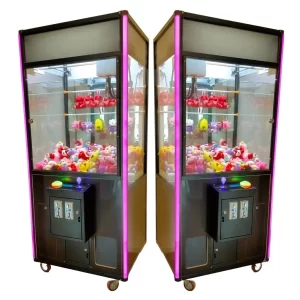
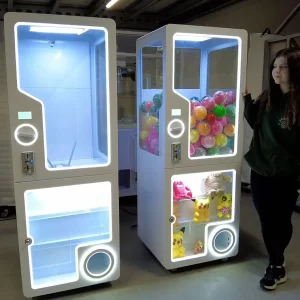
The bartop Gashapon machines.
Collecting a capsule prize.
A single unit (capsule chamber, coin slot, knob).
Intended use
The Gashapon is intended for home entertainment use and is not designed or intended for commercial use. The machine must never be left unattended in operation — it must always be supervised by a competent adult. Never run it for more than 10 hours continuously; after a maximum of 10 hours, switch it off for at least 1 hour. The minimum age for use is twelve; underage players should only use the machine under adult supervision.
Risks when using the machine
Using or commissioning the machine may involve certain risks. Before use, ensure all parties involved are familiar with the risks and the machine’s limitations. The machine is never 100% predictable: depending on player behaviour, the products placed in the machine, their position and/or the menu settings, exceptional situations may arise that need immediate attention — for example a capsule that gets stuck, or improper use. Supervision must always be provided by a competent adult who can intervene immediately. Never run it for more than 10 hours continuously; afterwards switch it off completely for at least 1 hour with the plug removed.
Unpacking and preparing the machine
Follow the unpacking instructions carefully to avoid damage to the machine.
Carefully remove the Gashapon from the box.
Remove any packaging materials such as foam, plastic or cardboard.
Remove the key(s).
Open the doors with the corresponding key and remove any loose products from the machine — think of gifts like capsules, flyers or business cards.
Commissioning
The bartop Gashapon operates on 220 volts / 50 hertz. Inspect the exterior and interior of the machine and the power cord for defects or damage — open all panels and doors and pay particular attention to damaged or loose electrical wiring and components. Do not connect the machine if the machine, wiring, components or power cord are damaged. Close and lock all doors and panels with the provided key(s). After checking, plug the power cord into the back of the machine and into a suitable socket, then turn on the switch on the back. The machine starts automatically (the motor may move once during start-up).
Operation of the machine
The bartop Gashapon machines — also known as gachapon or capsule machines — are filled with capsules or balls. The prizes in the capsules vary depending on what the owner loads. By turning the handle, the player receives a ball or capsule as a prize. The machine can be configured at various points in a user menu to adjust aspects such as the number of coins required to play a game.
Decommissioning the machine
Turn off the switch on the back of the machine and remove the plug from the socket so the power supply is completely interrupted. Do not leave the machine unattended while it is connected to the power supply.
Train coin comparator
The coin comparator in your machine is either empty or already trained on Made for Arcade coins. If the comparator is empty and the machine is not set to free play, a sample coin must first be placed in it. To do so, push the “replace coin” slider up in the direction of the “remove backward” arrow and place a coin under the slider (see image). When a coin is inserted, the comparator compares it with the sample; if they are equal, the inserted coin is sent to the cash drawer and a credit is added. Only insert coins with a diameter of 18 to 25 mm and a thickness of 1.6 to 2 mm.
Push the slider up and place a sample coin under it to train the comparator.
Periodic maintenance
Follow the periodic maintenance instructions carefully to avoid damage to the machine. The bartop Gashapon should be serviced every 4 hours in use, or at least once a week for light use.
Visual inspection of wiring and mechanisms
Check all internal parts for damage, breakage or abnormal behaviour. The unpredictable movements of the mechanisms, combined with the unpredictability of the player or user, can cause prizes to get stuck or unintentionally pull on cables and mechanisms.
Menu settings — parameter list
The bartop Gashapon has a user menu to personalise the experience. To enter the menu, first open the door with the key, then press the menu button (Button 1) while the machine is on. Use the 4 buttons in the back of the machine to navigate: Buttons 1, 2, 3 & 4 correspond to select / confirm, down, up and back. The menu is shown on the display at the front of the machine.
Display
In standby mode the display shows the number of coins required for one game.
After successful payment, the player turns the knob / handle to receive a prize; if the knob is not turned within the set time, the capsule is dispensed automatically.
After the capsule is dispensed, the display returns to standby and shows the number of coins required again.
FFFF–FFEE is shown when there is an error.
When the user is in the settings menu this is shown on the display as A001 to A00A.
The display (standby coin count).
The four-digit LED display module.
How do I move through the menu?
Press Button 1 to enter the menu.
Press Button 1 to go to the next function setting (A001 → A002).
Press Button 2 to decrease a function’s parameter (A004 0002 → A004 0001).
Press Button 3 to increase a function’s parameter (A004 0001 → A004 0002).
Press Button 4 to go back in the menu (A002 → A001).
The menu button on the control board (inside the machine).
Menu options — A001 to A00A
Menu
Description
Parameters
A001
Number of capsules / gashapons / balls
0000–9999
A002
Number of coins
0000–9999
A003
Number of times reset
0000–9999
A004
Number of coins needed to play a game
0001–9999
A005
Configure the time for releasing the capsule
0000–9999
A006
Adjust the volume
0000–0016
A007
Configure the inventory
0000–0225
A008
Reset — press the confirm button to reset everything immediately
—
A009
Turn the network box on
0000 (no); 0001 (yes)
A00A
Stock warning
0–11 (11 is shown as 00FF)
Notes
Enabling the network box at A009 invalidates the machine settings in menus A004 to A006.
If A00A is set to a value between 0 and 10, the machine warns when the number of capsules in the Gashapon is equal to or lower than the set value.
If A00A is set to 11 (also known as FF), the machine gives no warning when the stock is low.
To use the video screen: place your files on a USB stick (no larger than 500 MB) and insert it into the back of the screen.
Videos play automatically when you insert the USB into the screen.
Screen format: portrait 1080 × 1920 px.
Error descriptions
Error
Problem
Possible solution
EEEE / EEEF / EEFF / FFFF / FFEE / EFFF
Motherboard error
Switch off the machine, remove the power, leave it off for an hour, then switch it back on. If it still does not work, contact us.
FFFE
Blockage problem / blockage at the sensor
Check whether the sensor is blocked by something. Check whether the sensor’s connection line is loose.
—
No capsules detected
Refill the stock of capsules / balls.
—
Coin slot error
Check whether a coin is stuck in the slot. Check the circuit of the coin mechanism.
—
Too few capsules detected
Refill the stock of balls or capsules.
Precautionary measures
The machine is intended for indoor use and is not intended for outdoor installation. Avoid the following when installing it indoors:
Avoid wet areas.
Avoid flammable materials.
Avoid an uneven surface.
Do not place the machine near emergency exits, fire extinguishers or other emergency equipment, so they remain easily accessible.
Avoid places with heavy vibration.
Do not make any changes to the machine without our permission.
Always switch off the machine as described earlier in this manual during maintenance or when leaving it unattended, to prevent electric shock or short circuit.
Specifications may vary or change over time. Verify all specifications prior to purchase. No rights can be derived from this information.
Questions
Can it be branded with our design?
Yes — most machines can be branded by our design department per your specifications. Simply send your artwork and our team will go to work for you, delivering a turn-key custom-branded solution.
Do you provide warranty on your machines?
Absolutely! Each machine comes standard with a 1-year full service and parts warranty at any of our service centers, no questions asked. You can extend warranty to a full 2 years by clicking the option box above (highly recommended). See our T&C for details.
Do you ship to my country?
Yes — for sales we ship worldwide; for rentals we prefer to limit shipping to Western Europe. And if you have your own carrier account (FedEx, DHL, etc.) you can always arrange to have your order picked up from our service centers.
How are products packed?
For trucking, train or air cargo, crating is needed — check the option box above to add the custom wooden protective crating the carrier requires. If you arrange your own pickup, crating is optional and may save you the cost of having a custom frame built.
Can I rent this instead of buying?
Most of our machines are available to rent for events and activations. Tell us the venue and dates and we’ll quote rental + transport, or both prices so you can compare.
Can you pre-load our prizes, tokens or content?
Yes — we can pre-load prizes, capsules, tokens or your own media so the machine arrives play-ready for your event.





 English
  French
  German
  Spanish
  Italian
  Dutch
Dutch  Portuguese
  Polish
  Bulgarian
  Swedish
  Romanian
  Danish