The Purple Lightning bartop is a compact, professionally built tabletop arcade loaded with 3000 games on an Alpha Fight engine – solid wood panels, dual 8-way joysticks, a 19″ monitor and a built-in 3-way amplifier with dual 4″ speakers. Two-player controls are standard, and the included coin acceptor (with 50 game coins) lets you run it as a free-play crowd-draw or a paid earner. Add your own logos and splash screens via the accessible SD card to make it fully brand-ready.
The Bartop Arcade – Purple Lightning is a compact, professionally built tabletop machine that loads 3000 games and turns any spare corner into an instant gaming destination.
Every gamehall, kids’ room, entertainment basement, mancave, she-shed or cafeteria has an empty corner this unit was made for. Its compact design keeps it unobtrusive until someone pushes a button – then it transforms into a powerhouse with awesome sound and hi-resolution imaging on a 19″ monitor.
This is no amateur or hobby build. Solid wood panels, durable T-slot mouldings, routered T-moulding finish, dual 8-way microswitch joysticks and real speed arcade buttons make it a buy-once asset that holds up to constant hands-on use.
Why it works on the floor
A bartop draws a crowd and holds it. Two-player controls are standard on every full-size bartop we build, so games become a shared moment – the kind that pulls people in, keeps them dwelling, and gets shared. Set it to free play for a frictionless giveaway at events and activations, or switch it to paid mode to collect on every game. The built-in coin acceptor automatically detects Euros, Dollars and other coins, so the same machine works as a revenue earner or a pure crowd-pleaser depending on the day.
Built to last, built to brand
Powered by an Alpha Fight game engine on an accessible micro SD card holding all 3000 games, the cabinet ships ready to play and stays fully under your control. The SD card lets you change the complete layout, splash screens and background logos – so your introduction screens, company logo and on-screen text can greet every player (available as an option for buyers who want it brand-ready). A built-in 3-way adjustable amplifier driving dual 4″ top-mounted speakers delivers the arcade sound that makes a stand impossible to walk past.
Also known as a tabletop arcade or bartop arcade machine. Coin acceptor included with 50 brand-new metal game coins; free-play and paid modes both supported. Optional undercab ambient lighting and on-screen branding available.
This EC Declaration of Conformity (Annex II.1.A, Machinery Directive 2006/42/EC) confirms that the bartop arcade - purple lightning, manufactured by Made for Arcade B.V., Besterdstraat 9a, 5051HH Goirle, Nederland, complies with the relevant provisions of the Machinery Directive 2006/42/EC, EMC Directive 2014/30/EU and RoHS Directive 2011/65/EU.
Harmonised standards applied: EN ISO 12100:2010, EN IEC 61000-6-1, EN IEC 61000-6-3, EN IEC 63000. The technical file is held by the manufacturer at the address above.
The bartop arcade machine is a compact video arcade cabinet designed to sit on a bar or tabletop, with a screen, two joysticks and twelve buttons, holding hundreds to thousands of games. This manual covers safe use, set-up, the coin acceptor and the full settings menu (IO-test, key customizer, system configuration, game settings, currency management and language).
Caution: always place the machine on a stable, safe surface — it weighs around 24–30 kg and can be pulled off a table by the joysticks or buttons. There are live parts inside: always unplug before opening the doors.
Disclaimer
Made for Arcade makes no representations or warranties with respect to this manual and, to the maximum extent permitted by law, expressly limits its liability for any failure to conform to any warranty resulting from the replacement of this manual with another. In addition, Made for Arcade reserves the right to revise this publication at any time without obligation to notify any person of the revision.
The information in this documentation contains general descriptions and/or technical characteristics of the performance of the machine mentioned in this documentation. This documentation is not intended as a substitute for, and should not be used to determine, the suitability or reliability of this machine for specific user applications.
It is the duty of such user or system integrator to carry out — in relation to the relevant specific application or use of the product — an adequate and complete risk analysis, evaluation and testing of the products.
Please note: all images used in this manual are for illustrative purposes only and may differ from the actual product. This is because the colours, dimensions and other properties of the actual product may differ from the image.
Made for Arcade and/or its affiliates or subsidiaries are not responsible or liable for any misuse of the information contained in this document. If you have any suggestions for improvements or changes, or have found any errors in this documentation, please let us know.
All relevant national, regional and local safety regulations must be followed when installing and using this machine. For safety reasons and to ensure compliance with the documented system data, the components may only be repaired by the manufacturer.
If machines are used for applications with technical safety regulations, the relevant instructions must be observed. Failure to observe this information may result in personal injury and/or damage to the machine.
This machine is intended for entertainment purposes only. It is not intended for use for profit, for the wagering or payout of money, or for gambling or games of chance. Made for Arcade makes no representation or warranty that the use, installation or operation of this machine is permitted or lawful in any particular region, country, jurisdiction or venue. It is the sole responsibility of the buyer and/or end-user to ensure that their use of the machine complies with all applicable laws, regulations and licensing or permit requirements (including any gambling, gaming or amusement regulations).
This is the English user manual (or an automatic translation thereof). Manuals in other languages may be available on request.
Power supply and surge protection
Arcade and entertainment machines are computer-controlled and contain sensitive electronics. Mains power at events, venues and even ordinary outlets is frequently unstable or “dirty” — voltage spikes, surges, sags and brown-outs, flicker, overloaded or shared circuits, generators, long extension runs and the switching of nearby equipment can all push the supply outside the machine’s safe operating range.
You must always connect the machine through a good-quality surge protector, and — wherever the supply is unreliable or the machine must not lose power unexpectedly — through an uninterruptible power supply (UPS). These sensitive machines cannot tolerate power spikes, surges, brown-outs or sudden cut-offs.
Damage, data loss or malfunction caused by power-supply problems is not covered by warranty. Failure to use adequate power protection can lead to machine malfunction and, in some cases, a risk of fire or bodily harm. If you are unsure about your power supply, consult a qualified electrician before use.
Duty cycle and cooling breaks
These machines are built for event and venue use, not uninterrupted operation. Their motors, power supplies, controllers and lighting generate heat, and running continuously lets that heat build up beyond the safe operating range. Do not run the machine continuously for more than 4 hours. After every 4 hours of use, switch it off completely for at least 10 minutes, by disconnecting the power supply, to let the components cool before resuming.
Overheating from exceeding this duty cycle can cause reduced performance, premature wear, component failure and, in some cases, a risk of fire or bodily harm. Damage or malfunction resulting from continuous operation beyond these limits, or from inadequate cooling breaks, is not covered by warranty. Always keep air inlets and outlets clear and unobstructed.
Support and service
For more information, service, technical support, ordering user manuals, or for any other questions, please contact: Made for Arcade Besterdstraat 9a, 5051HH Goirle, The Netherlands Email: [email protected] · Web: madeforarcade.com
Machine description
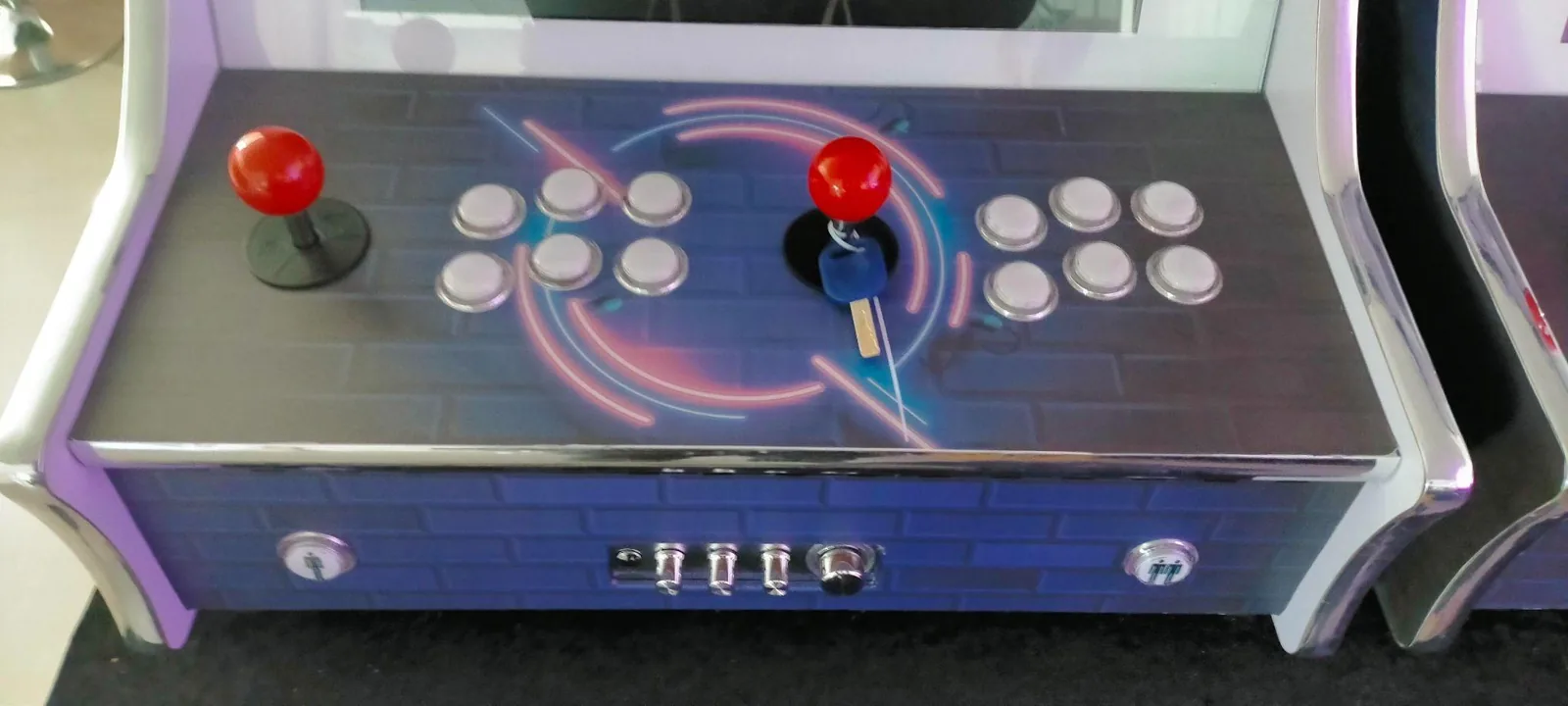
The bartop arcade machine is a compact video arcade machine designed to sit on a bar or tabletop. It is an independently operating machine equipped with a screen, control buttons and joysticks, and is designed to play various video games. A maximum of 4 players can participate simultaneously (depending on the chosen game). Players can take turns or play through a game with up to 2 players at the same time, in competition or cooperatively. Depending on the configuration and built-in game controller, the machine can hold hundreds to thousands of games. Players choose games and settings via an extensive menu.
The bartop arcade machine.
Intended use
The bartop arcade machine is intended for home entertainment use and is not designed or intended for commercial use. The minimum age for use is twelve years; underage players should only use the machine under adult supervision.
Safety warning
Always place the bartop arcade machine on a stable and safe surface to prevent it from falling over or being pulled off the table. The machine weighs approximately 24 kg and can be dangerous if not installed correctly. Note: the joystick or buttons may be pulled out of enthusiasm, which can pull the machine off the surface.
Always use a stable, safe surface.
Suffocation
Be careful when using small keys, as they can pose a choking or swallowing hazard. Keep them out of the reach of children and ensure they are stored safely when not in use.
Hearing damage
The bartop arcade machine can produce loud noises that can damage your hearing. Try not to stand too close to the speakers and do not turn the volume up too loud.
Electrocution hazard
Be careful when opening the machine doors. For your own safety, always remove the plug from the socket before opening the door. There may be exposed live parts inside the machine that, if touched, could result in electric shock causing injury or death. Close the doors with the supplied key before inserting the plug into the socket.
Gaming addiction
Playing video games can be addictive and can lead to health problems. If you experience symptoms of gaming addiction such as fatigue, insomnia or irritability, seek professional help. The website gameninfo.nl and the Gaming Infoline 0900-1995 (€0.10/min) are independent information channels with current, scientifically substantiated information about problematic gaming and game addiction. Follow these safety warnings to avoid injury or damage to the machine.
Commissioning the machine / preparation
Follow the unpacking instructions carefully to avoid damage to the machine. Preferably use side cutters or nail scissors to cut the drawstrings (they are in hard-to-reach places), then remove the keys from the joystick.
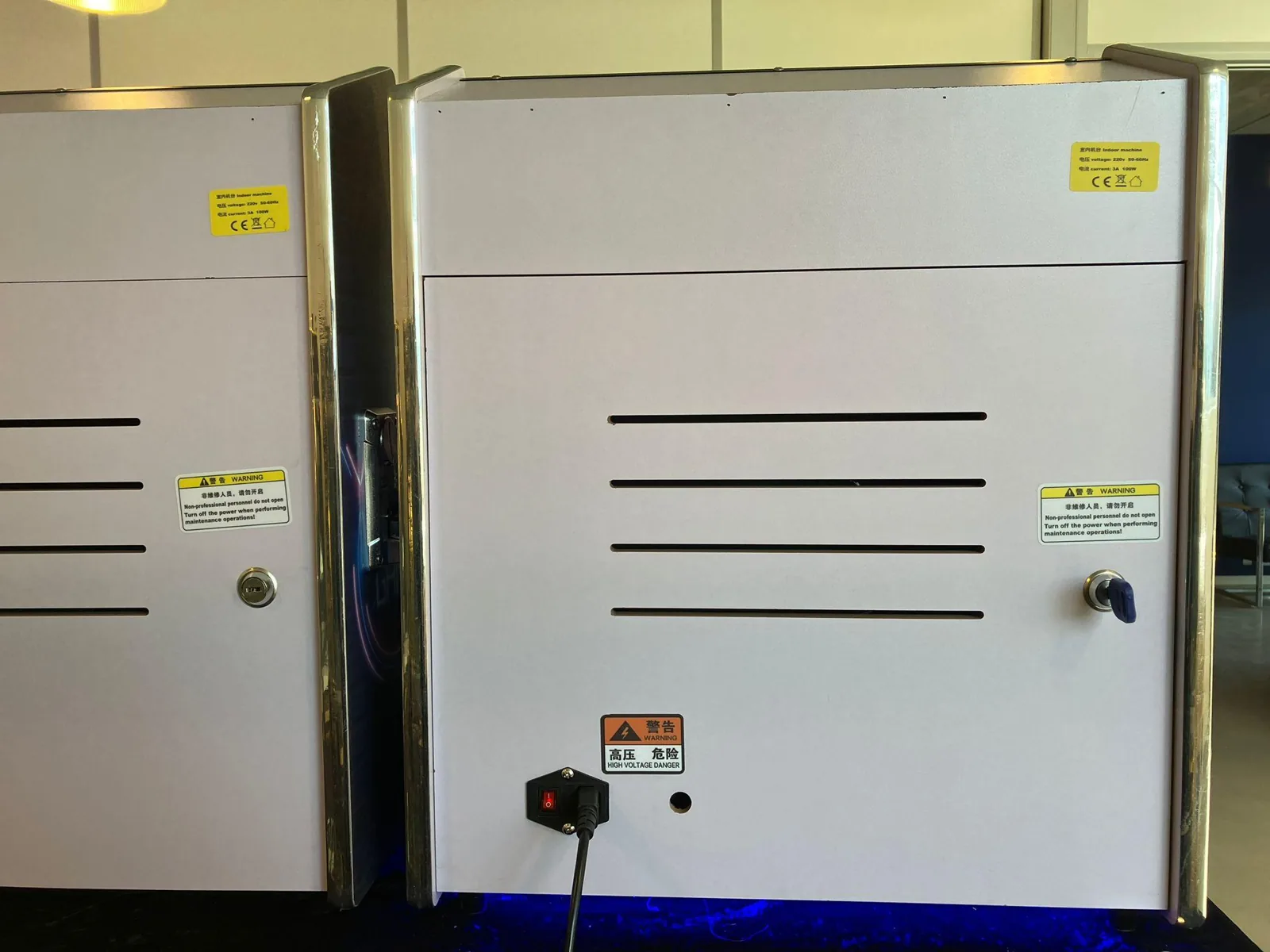
The bartop arcade machine works on 220/240 volts / 50 Hz. Inspect the outside and inside of the machine and the power cord for defects or damage — open all panels and doors and pay particular attention to damage or loose connections of electrical wiring and components. Do not connect the machine if the machine, wiring, components or connection cable are damaged. Close and lock all doors and panels with the enclosed keys. After checking, insert the supplied connection cable into the back of the machine and plug into a proper socket, then turn on the switch at the back. The machine starts up automatically.
Cut the drawstrings and remove the keys before connecting power.
Operation of the machine
This machine offers a wide selection of arcade games and useful features that let you quickly find and play your favourite games.
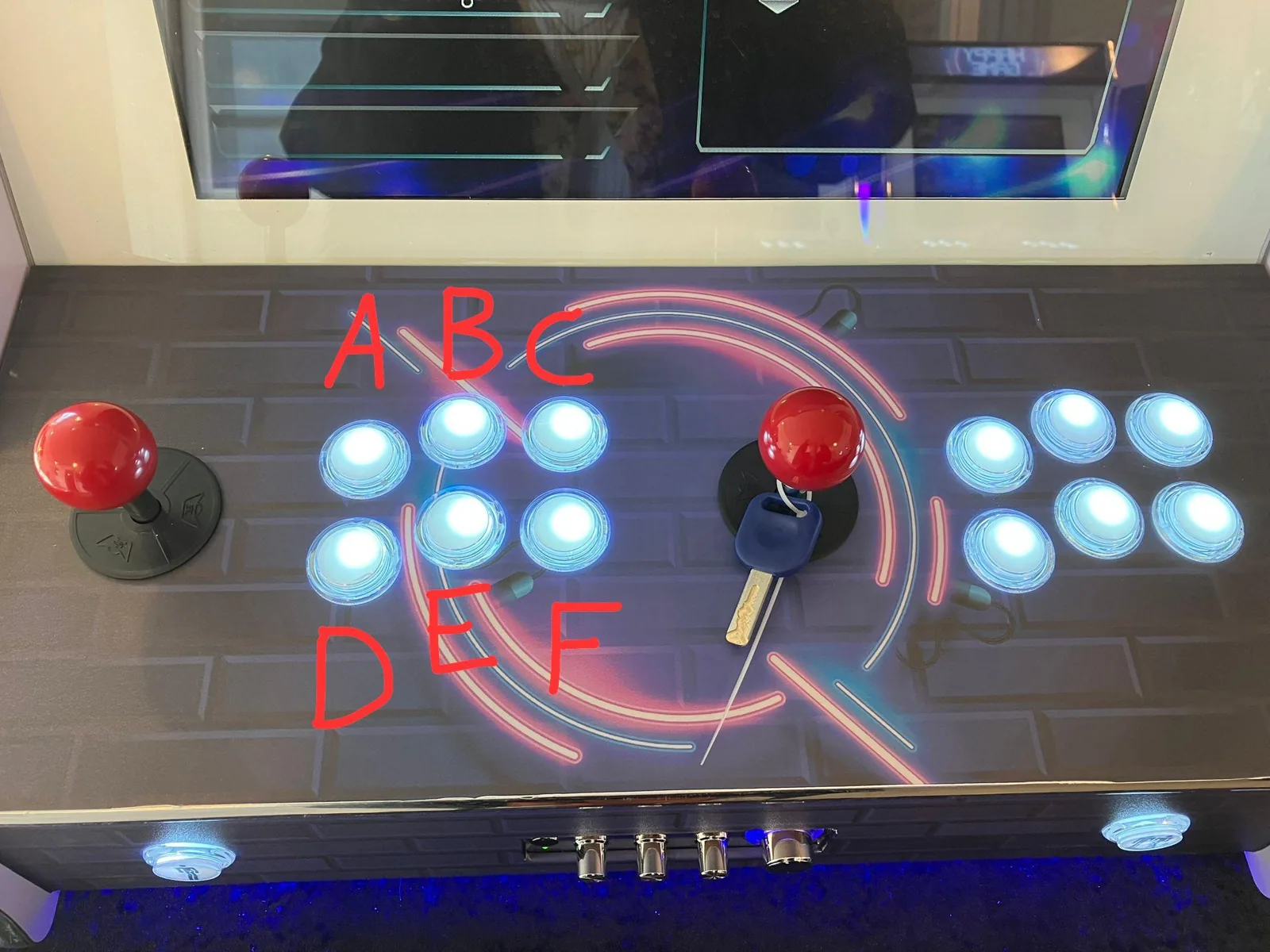
Quickly find games: use the joystick to go to the keyboard icon at the top of the screen and click it with the A button. A keyboard appears on the right side of the screen; enter the first few letters of a game to find it quickly.
Set favourite games: use the C button to create a list of your favourite games, so you always have quick access to the games you play most. (To learn the buttons, see the key customizer section.)
Recently played games: the quicklist button (4) lets you quickly return to games you have recently played.
Control layout — joysticks, play buttons (A, B, C, D, E, F), 1P / 2P knobs and volume knobs.
Coin training
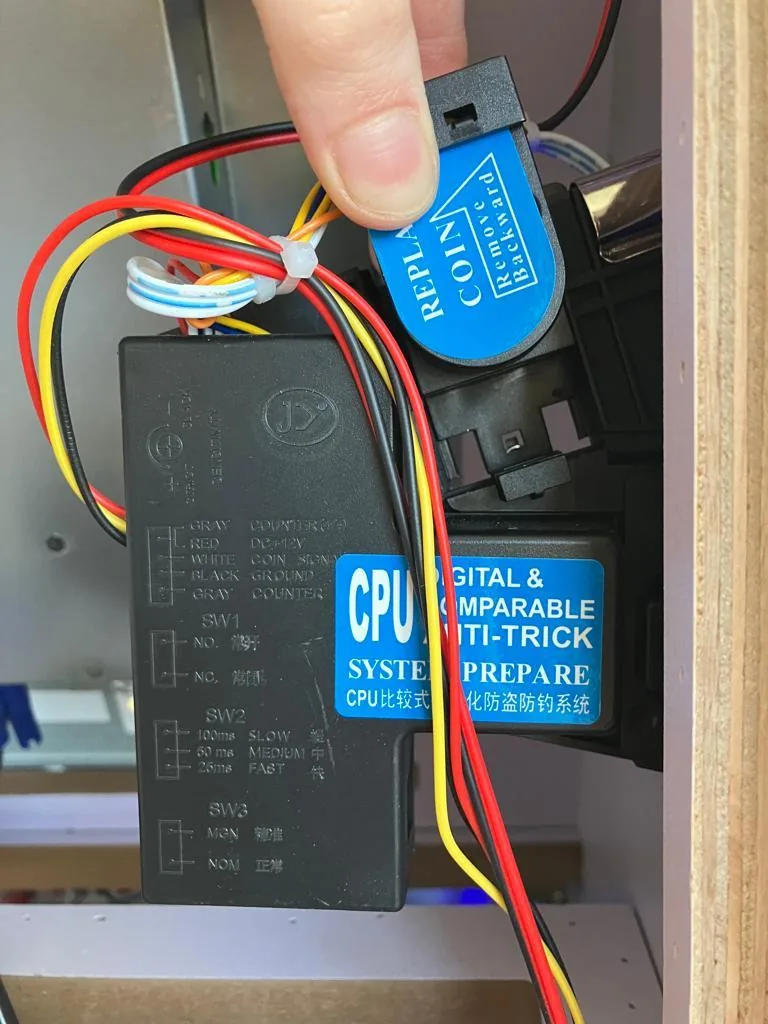
The coin acceptor in your machine is either empty or has already been trained on Made for Arcade coins. If the coin acceptor is empty and the machine is not set to free play, a sample coin must first be placed in the coin acceptor:
Open the back of the machine with the corresponding key.
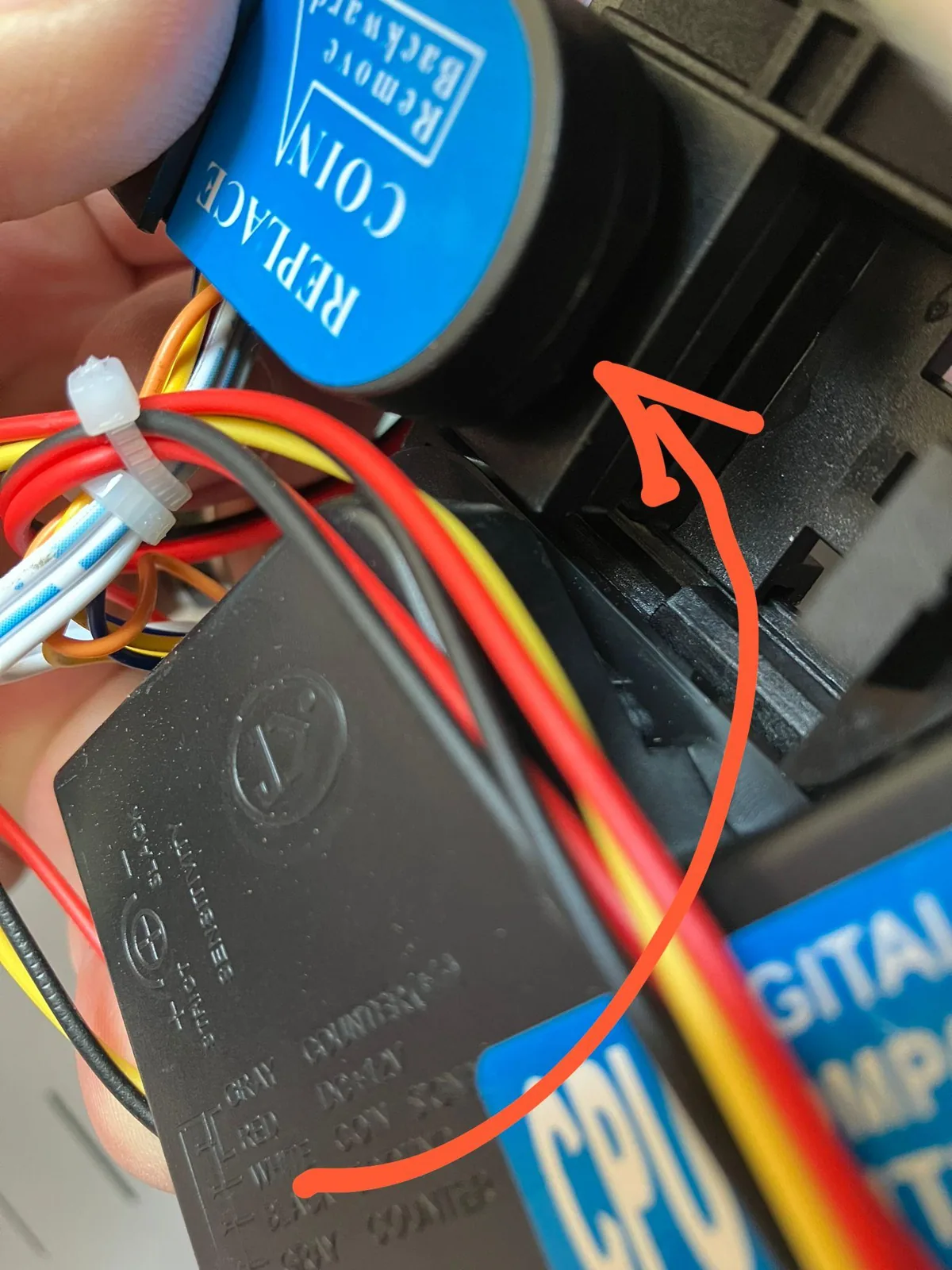
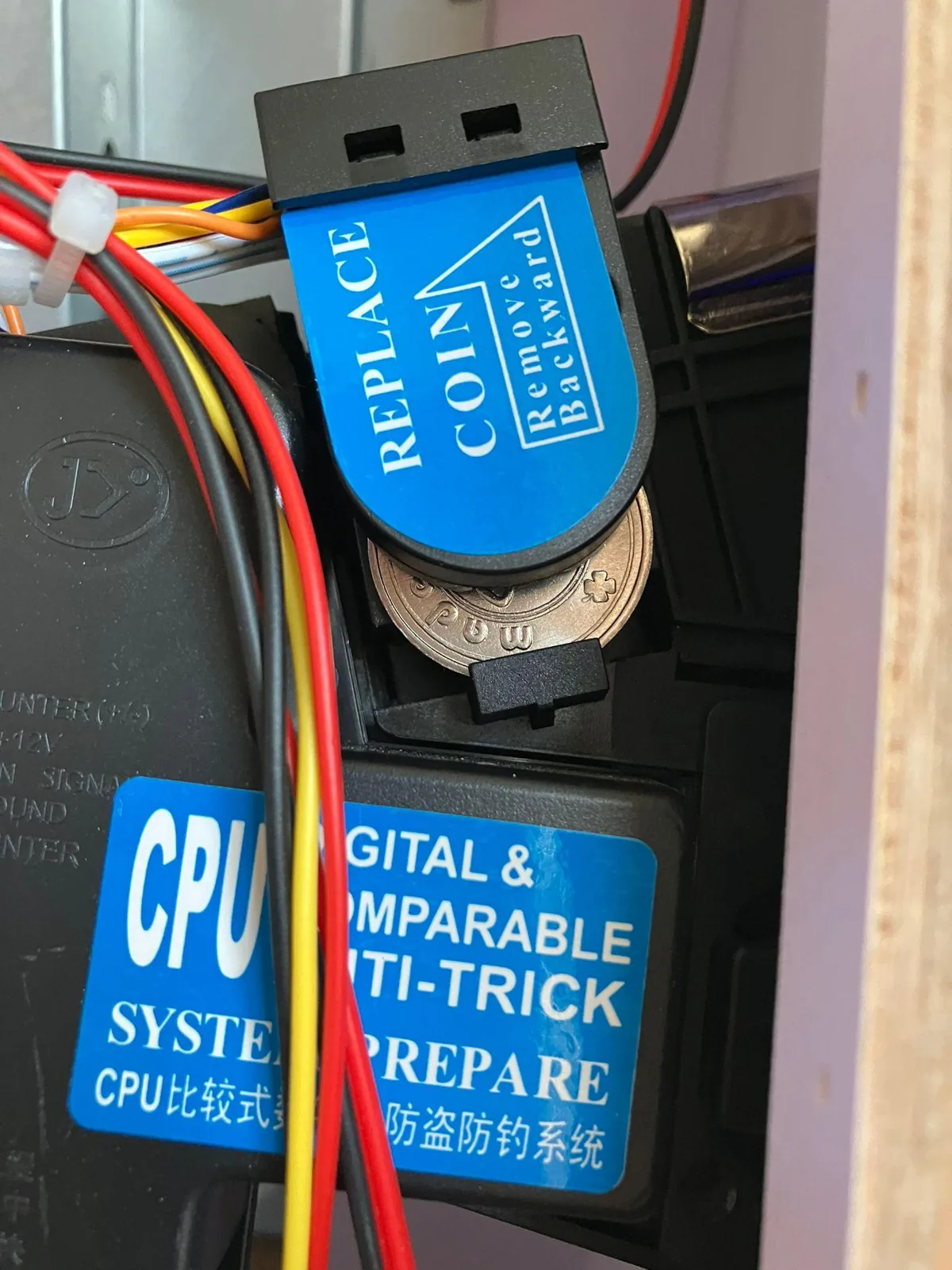
On the right you will see a slider with a blue sticker — carefully lift it up.
There is a shallow slot at the bottom where you can slide a coin in; do this while holding the slider up.
When the coin is in the slot, slowly and carefully lower the slider with the coin between it.
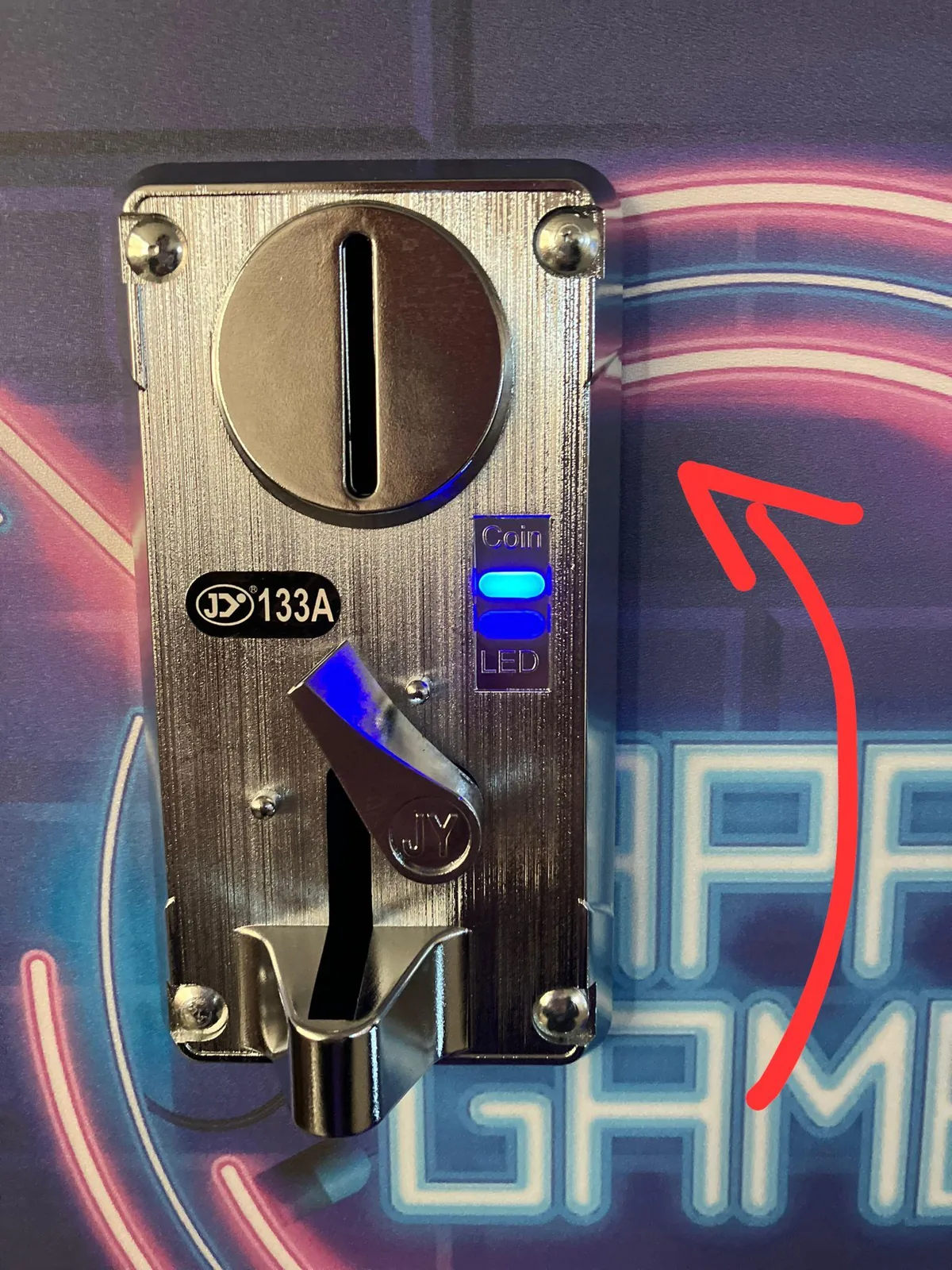
Close the back of the machine again with the key. Finally, put another coin (the same type) through the coin slot on the side of the machine.
When inserting a coin, the coin acceptor compares it with the sample coin. If the coins are equal, the inserted coin is sent to the cash drawer and a credit is counted on the user display. Only insert coins with a diameter of 18 to 25 mm and a thickness of 1.6 to 2 mm.
Open the back to reach the coin acceptor.
Lift the blue-sticker slider up.
Slide a sample coin into the slot.
Lower the slider onto the coin.
Test with a matching coin in the side slot.
To settings
Electrocution hazard
Note: there is a risk of electrocution when the doors are open and the machine is connected to the mains. Do not touch electrical wiring, plugs or connections — just press the reset switch and then immediately close the door with the enclosed keys.
To reach the settings of the bartop arcade machine:
Insert the connection cable into the back of the machine, plug into a proper socket and turn on the switch at the back; the machine starts up automatically.
Open the machine at the back using the supplied key.
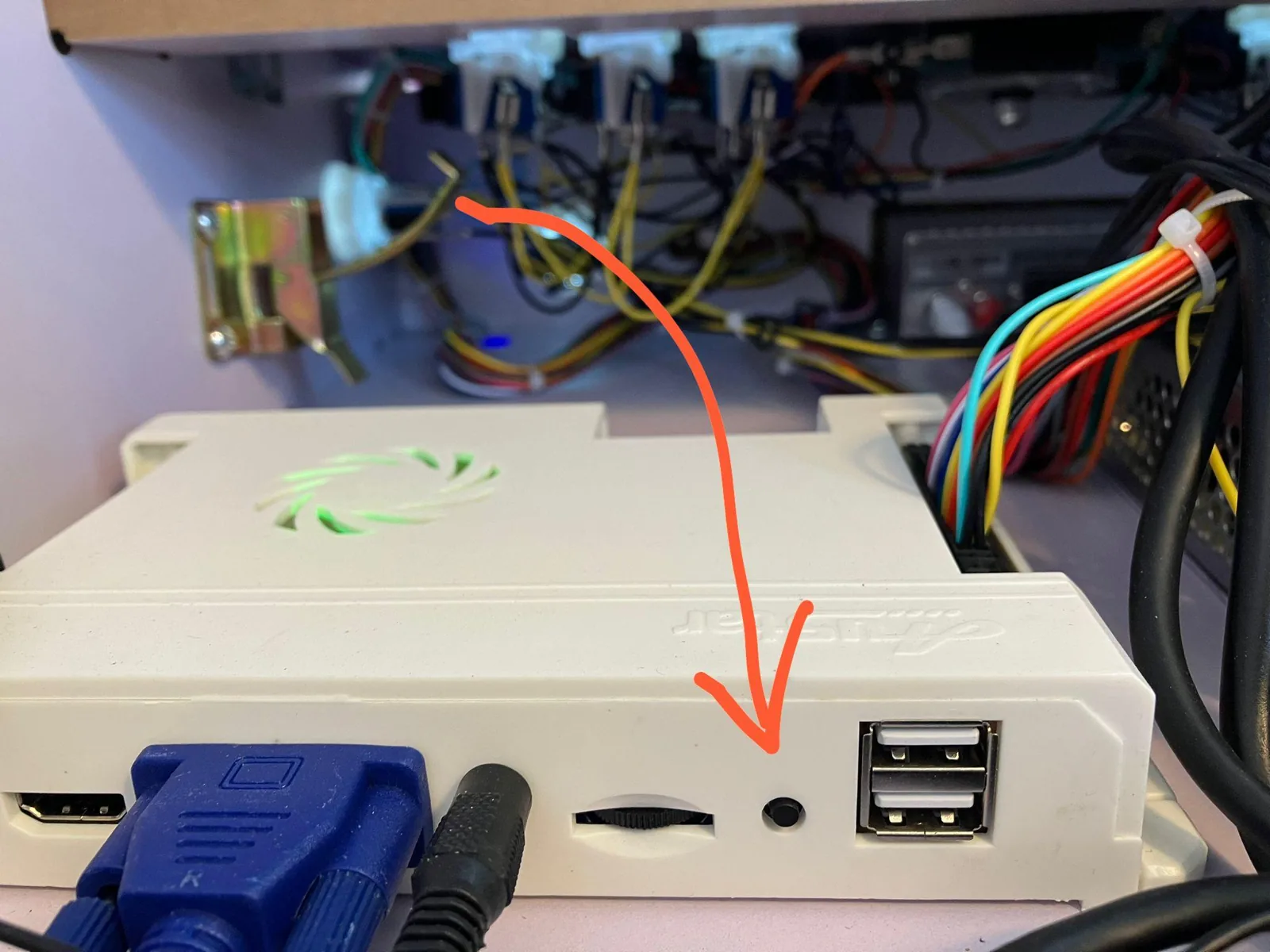
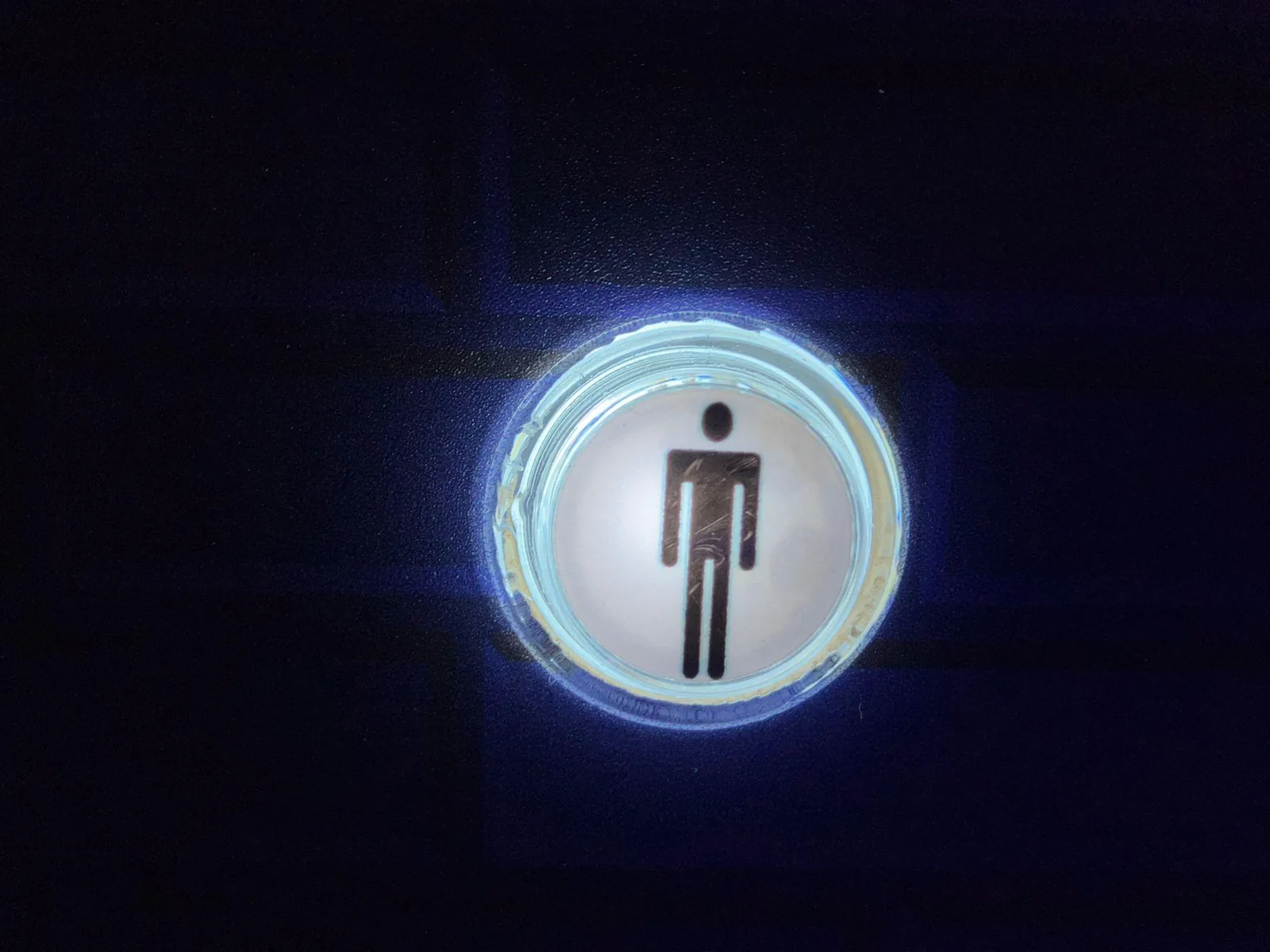
On the game controller you will see a blue reset button. With the machine on, press this blue button to access the settings — the settings menu appears on the front screen.
Immediately close the door with the enclosed keys.
Open the back to reach the game controller.
Press the blue reset button to open settings.
Settings menu
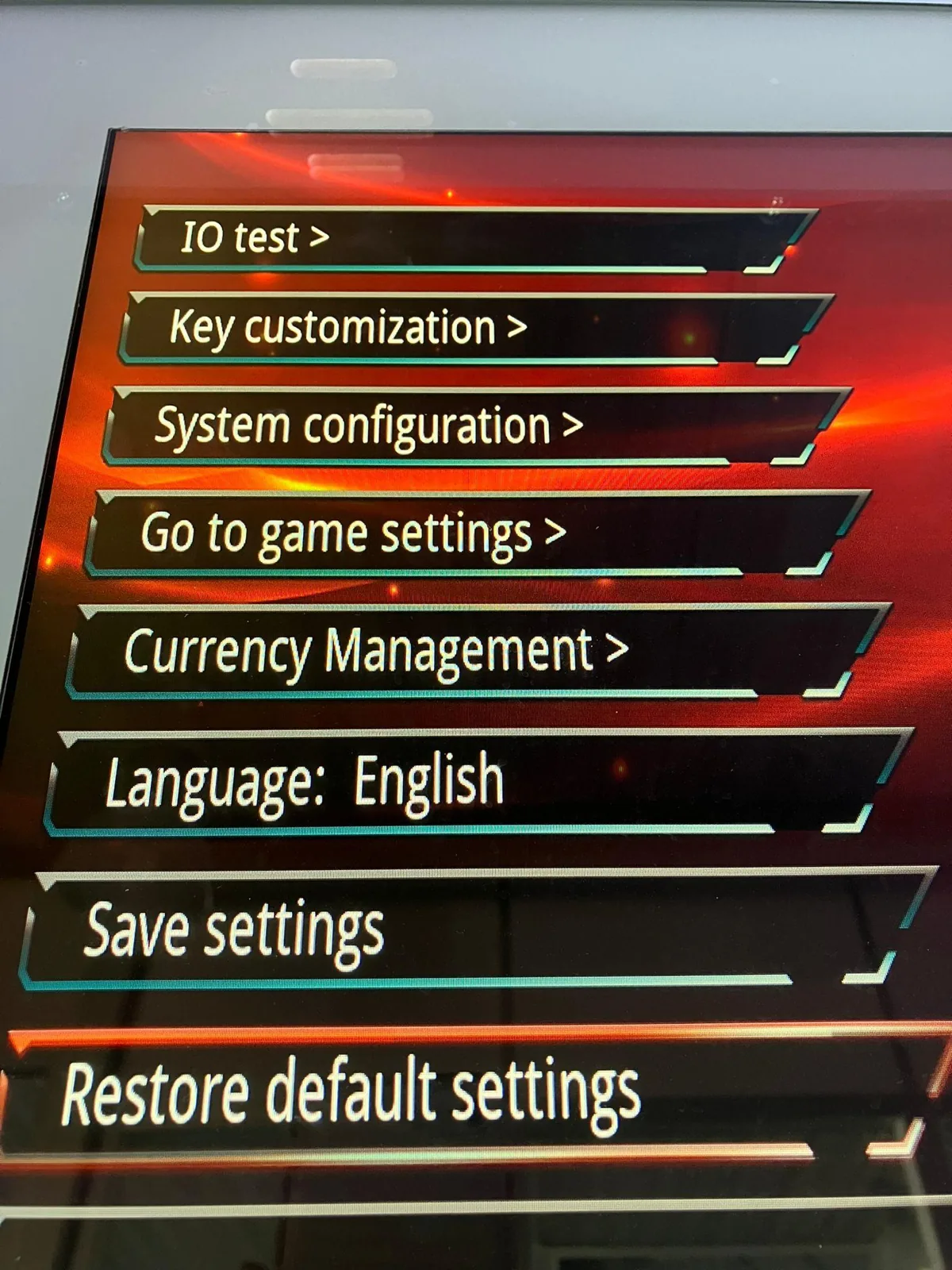
You can adjust the following in the machine settings: IO-test, key customization, system configuration, game settings, currency management, language, save settings, and restore default settings. Scroll through the functions by moving the joystick up and down.
IO-test
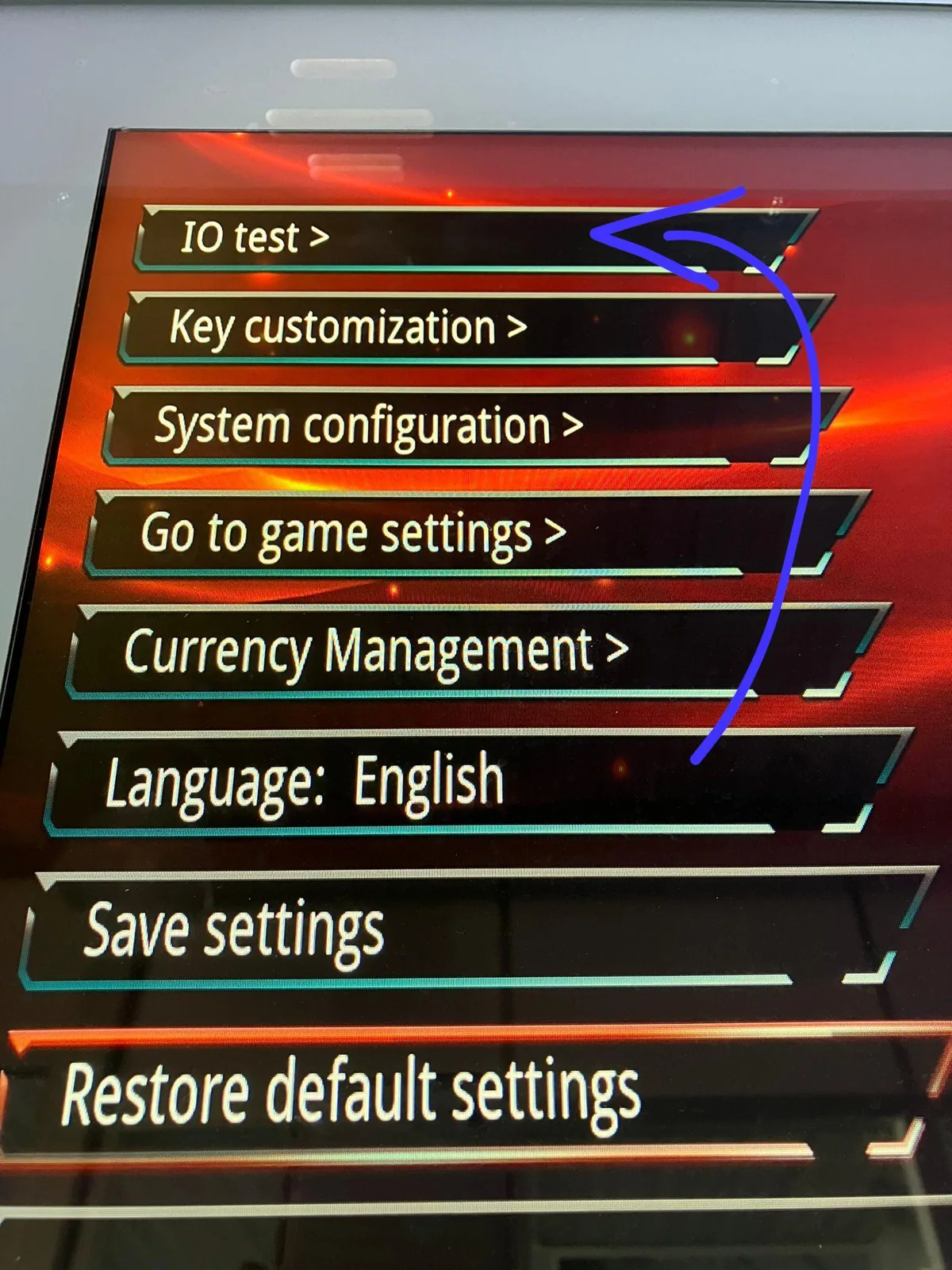
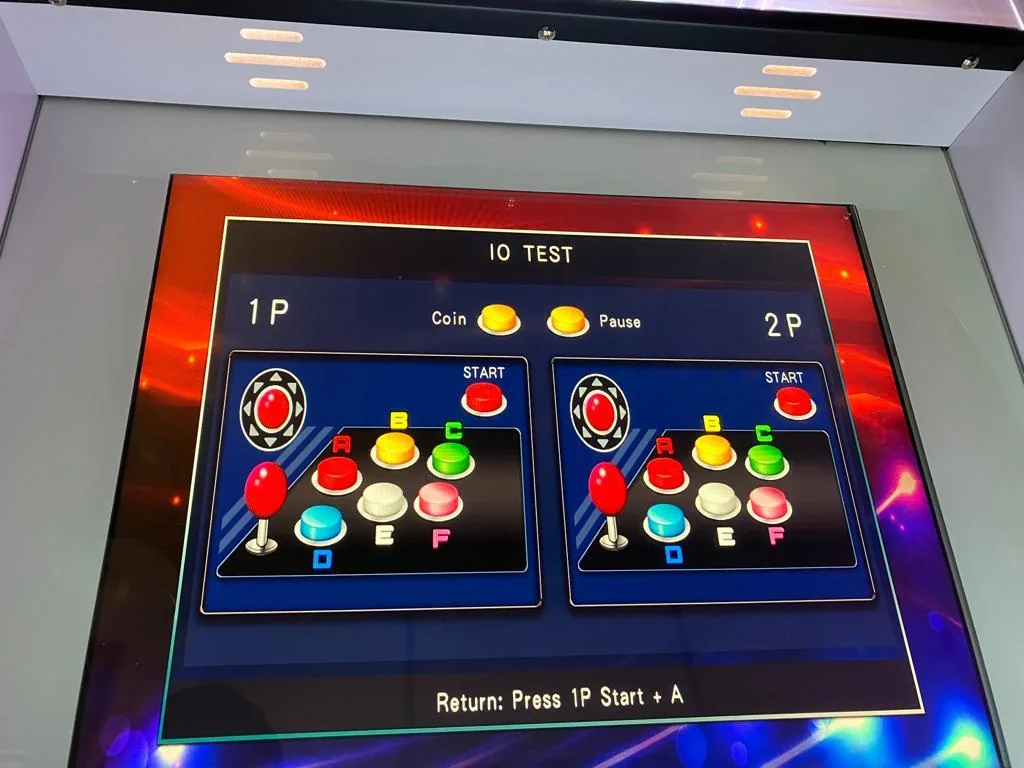
During the IO-test you learn the functions of the different buttons and how they are named (for example A, B or C). Go to the settings menu and click IO test with the A button. An image of the keyboard appears on the right of the screen showing what the buttons are called. To exit the IO-test and return to the settings menu, press buttons A + 1P.
The settings menu.
The IO-test button map.
Press buttons to identify them.
Key customizer
With the key customizer you can customise the buttons to your own wishes. Press and hold the 1P or 2P button for 3 to 5 seconds; you can then change the settings of the relevant buttons. To save and confirm, click the 1P button once.
System configuration
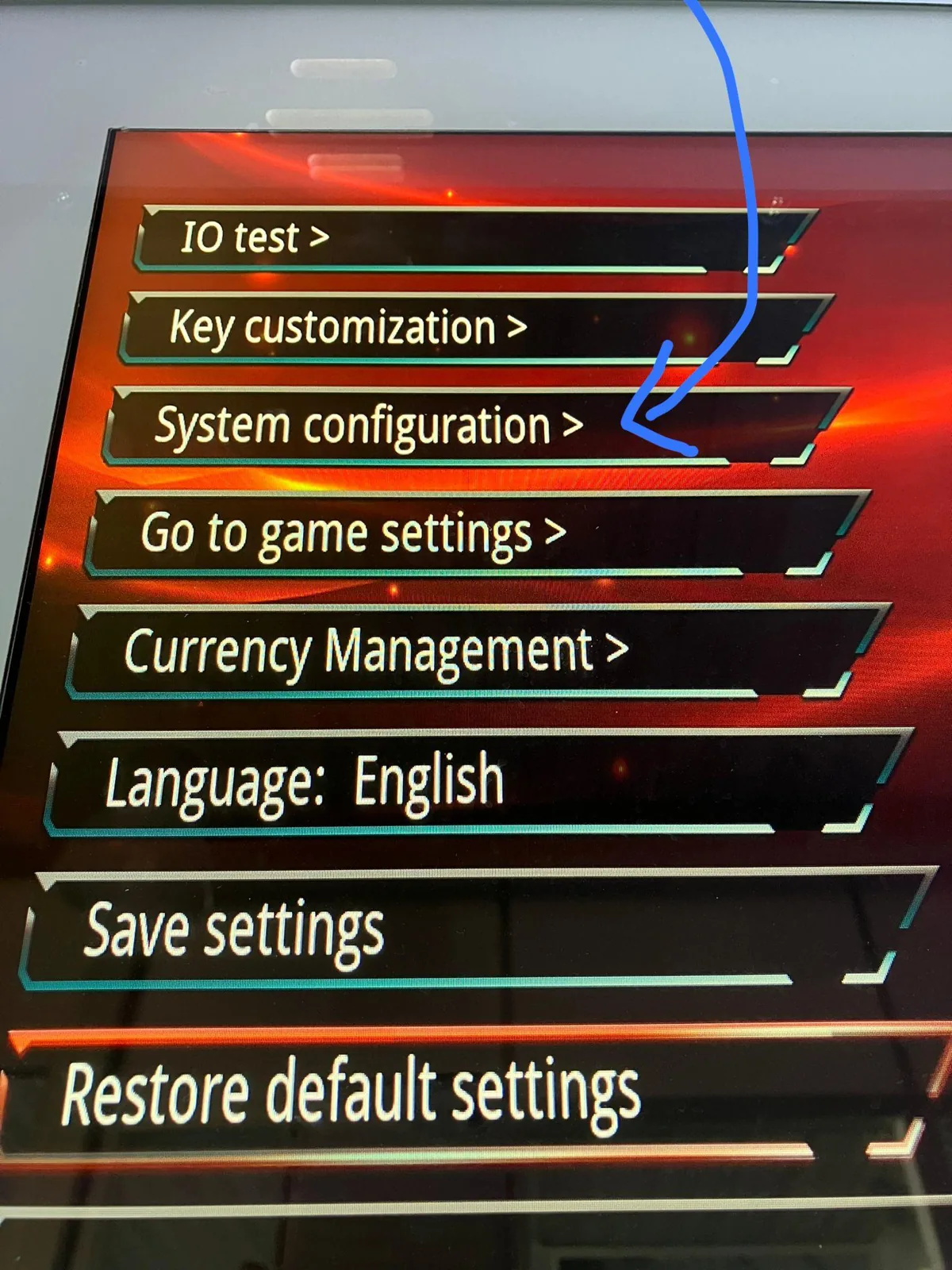
In system configuration you can adjust various system functions. Press the A button to adjust the parts of system configuration, and use the joystick to move between functions.
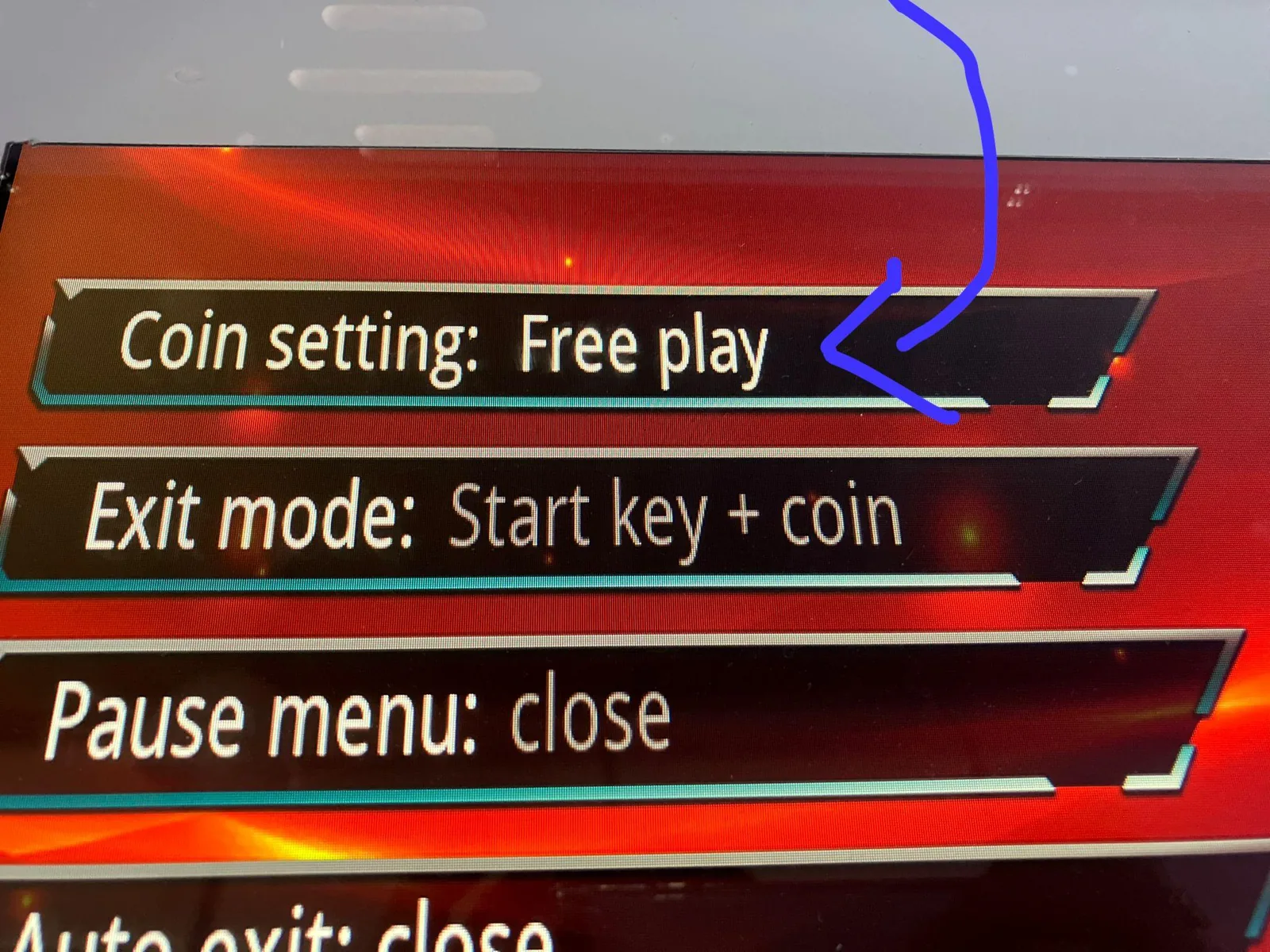
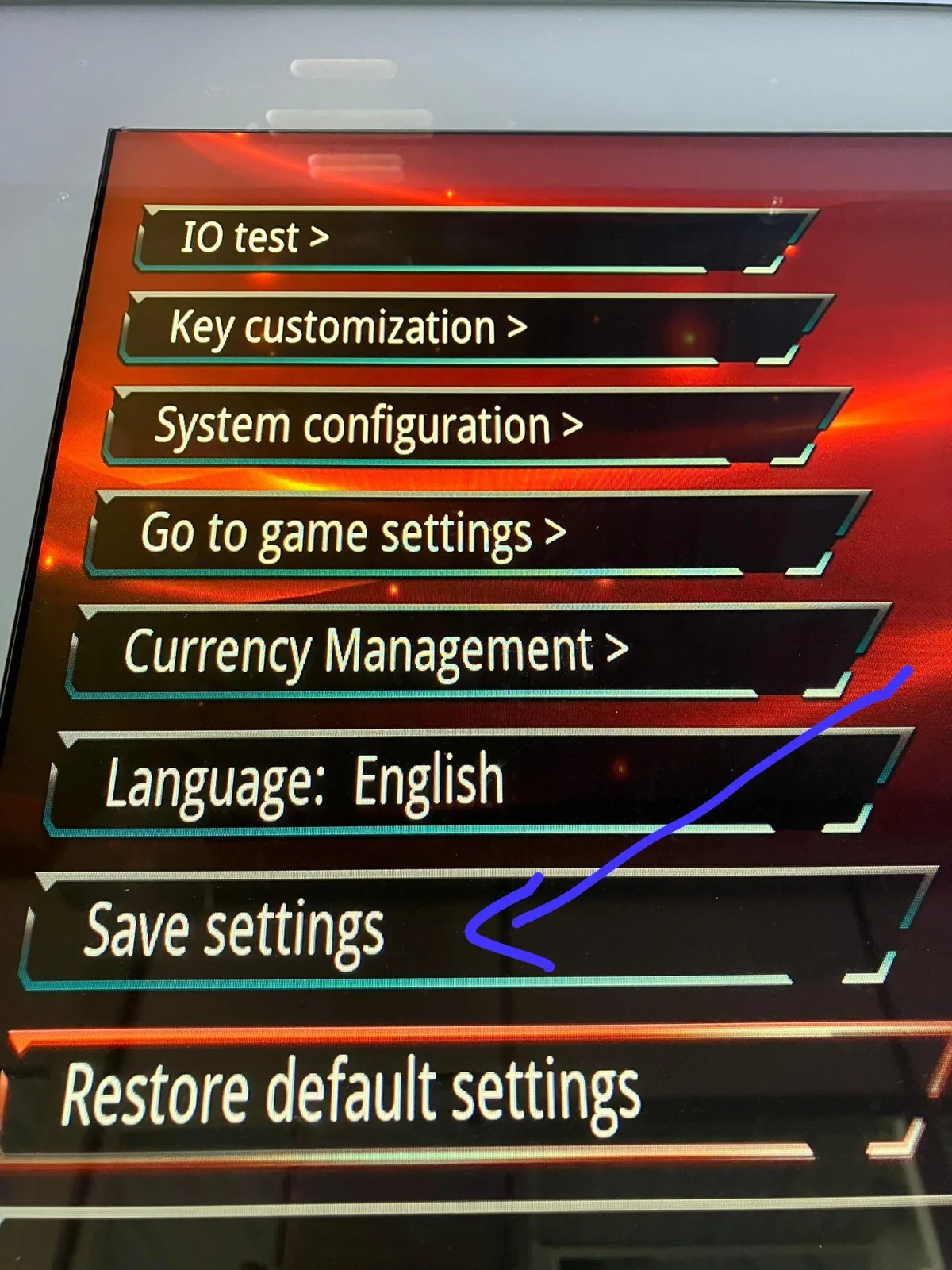
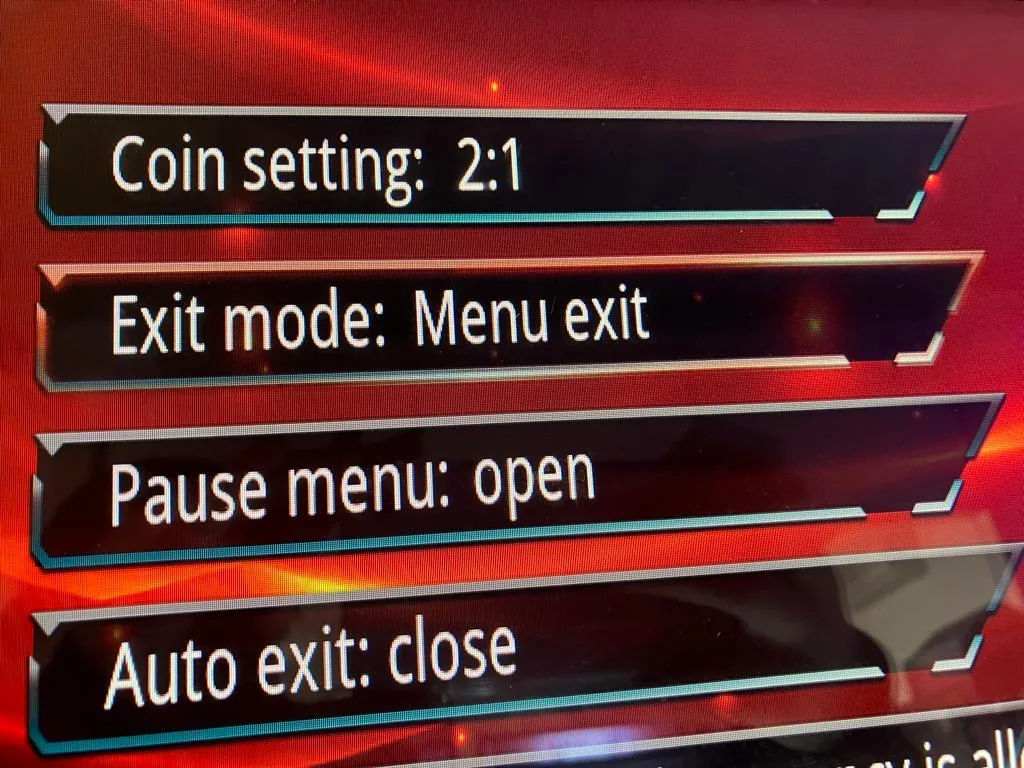
Coin setting: set the ratio of coins to credits you get when you pay to play — a number before the slash (coins) and after the slash (credits), up to a maximum of 9:1 / 1:9. You can also choose free play to play free games indefinitely. To enable free play: with the machine on, press the blue button on the game controller; in the settings menu click system configuration → coin settings; press A until you reach free play; press 1P to return; then use save settings and click “yes”.
System configuration.
Coin settings → free play.
Save the settings (“yes”).
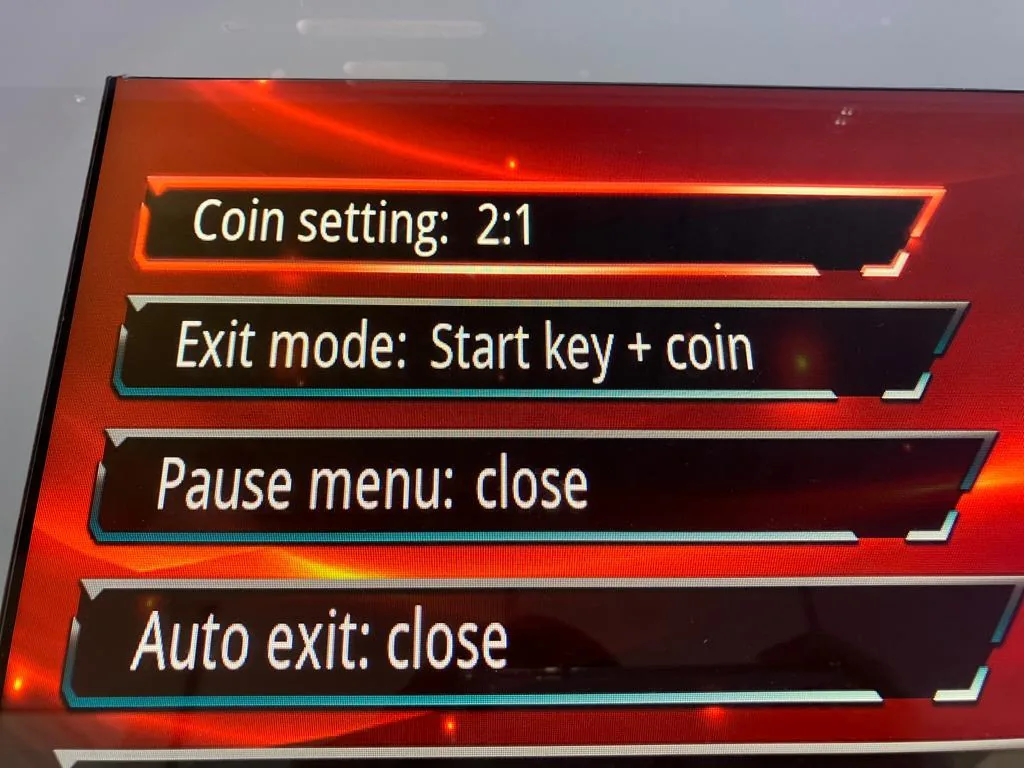
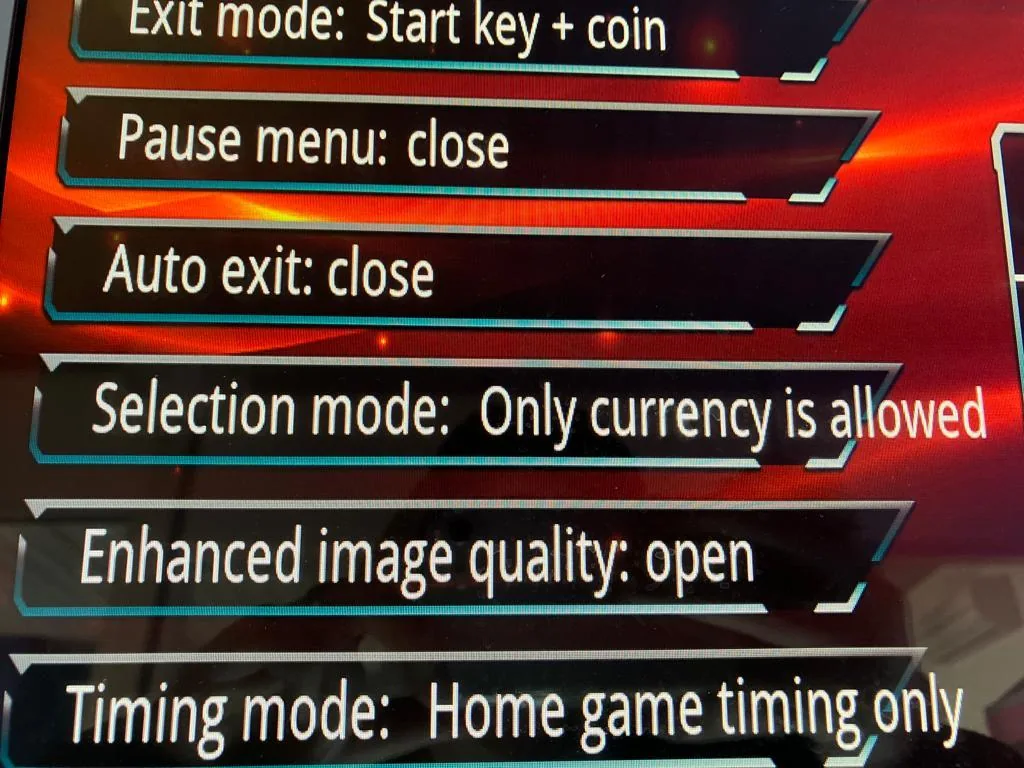
Exit mode: set how you prefer to leave a game. “Menu exit” lets you exit a game using the button on the side of the machine marked with the pause sign. “Start key + coin” lets you exit by holding the start (1P) button while inserting a coin, returning you to the games menu. (This does not apply if you chose free play.)
Pause menu: choose “open” (you can pause your game) or “closed” (you cannot pause).
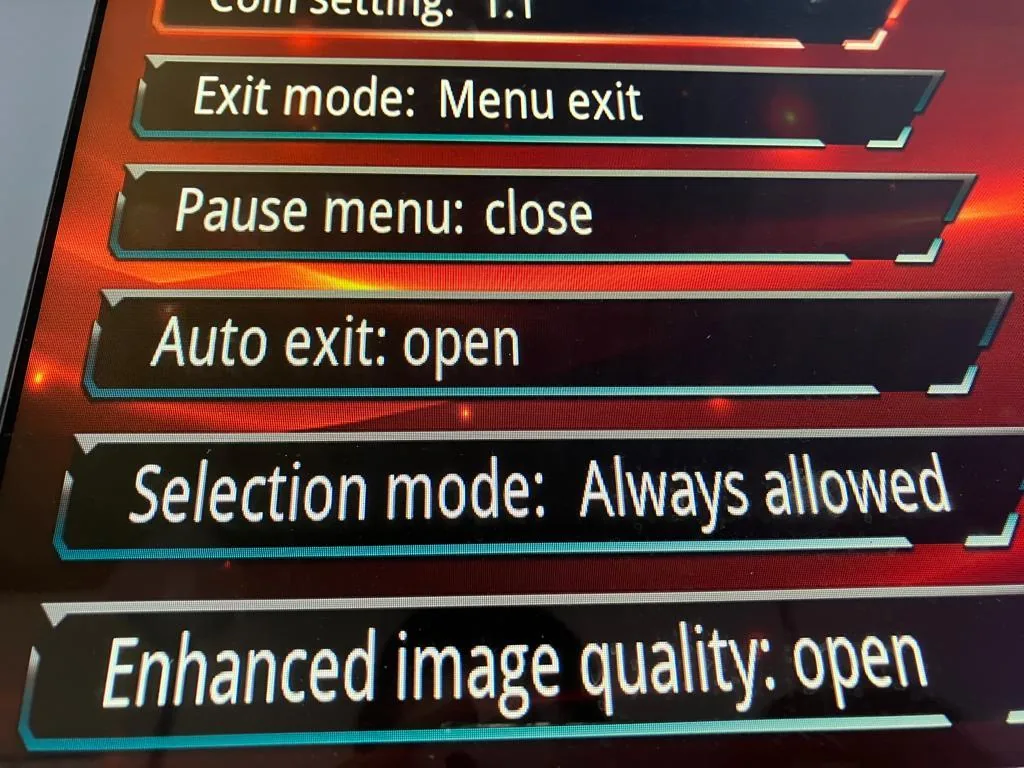
Auto exit: choose “open” (you are automatically kicked out when your playing time ends and cannot finish the game) or “close” (you may finish the current game even after your time ends; a new game needs a new coin).
Exit mode.
Pause menu.
Auto exit.
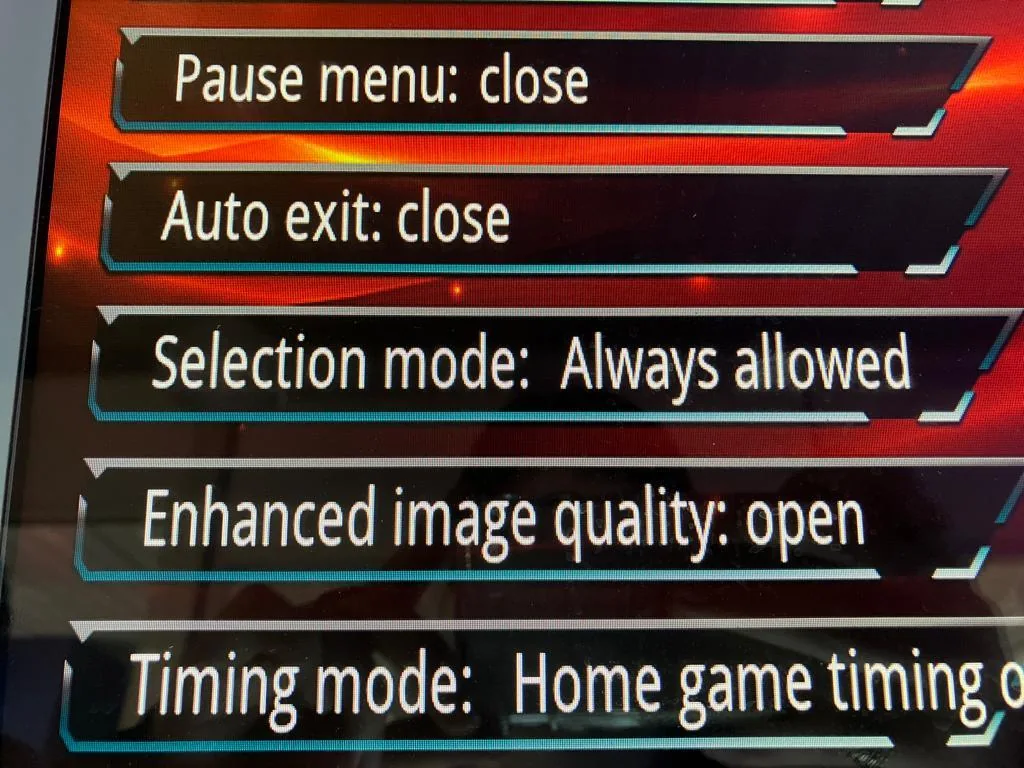
Selection mode: “always allowed” lets you scroll the games menu even before inserting a coin (playing time starts when you pick a game); “only currency is allowed” requires a coin before you can scroll, and playing time starts then. (Not applicable with free play.)
Enhanced image quality: “open” optimises image quality; “close” does not.
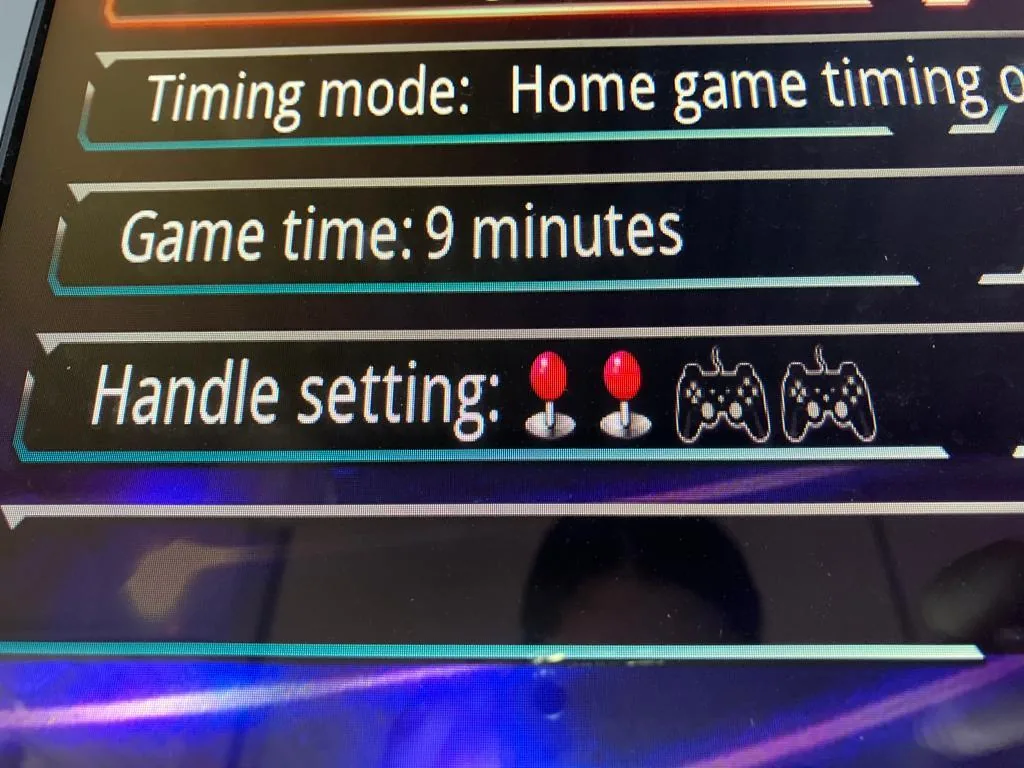
Timing mode: this cannot be adjusted, and does not apply if free play is chosen.
Game time: choose how many minutes a credit is worth, up to a maximum of 60 minutes (e.g. play for an hour for a certain number of coins). Not applicable with free play.
Handle setting: press the A button to set how many joysticks are activated.
Selection mode.
Enhanced image quality.
Game time.
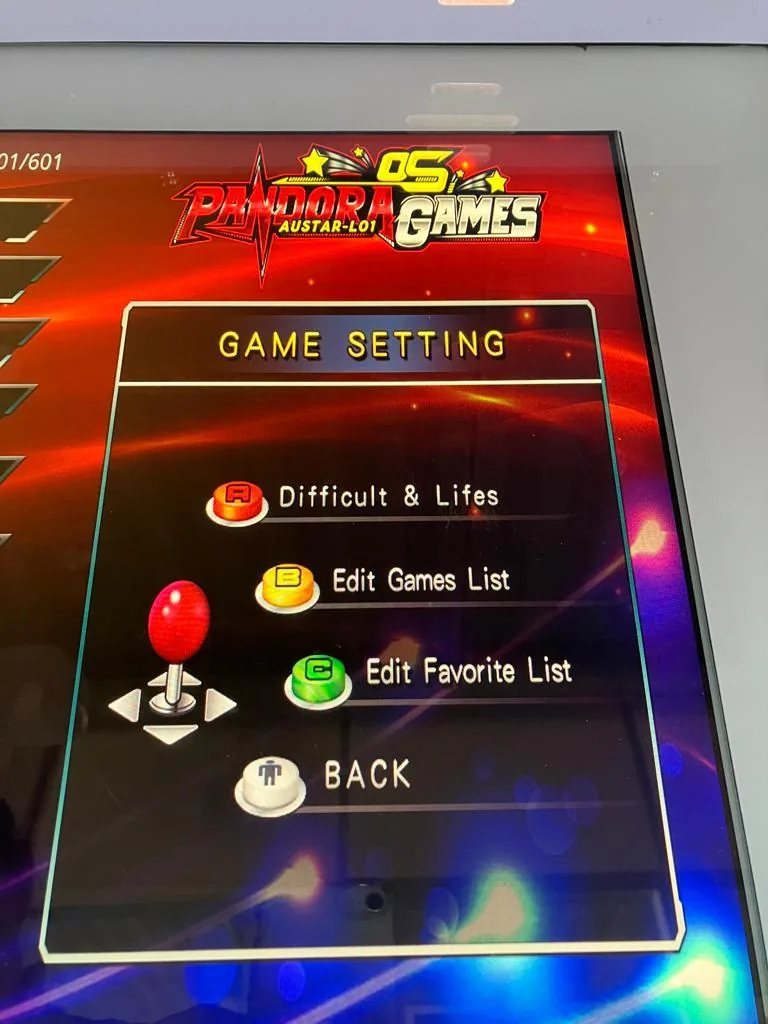
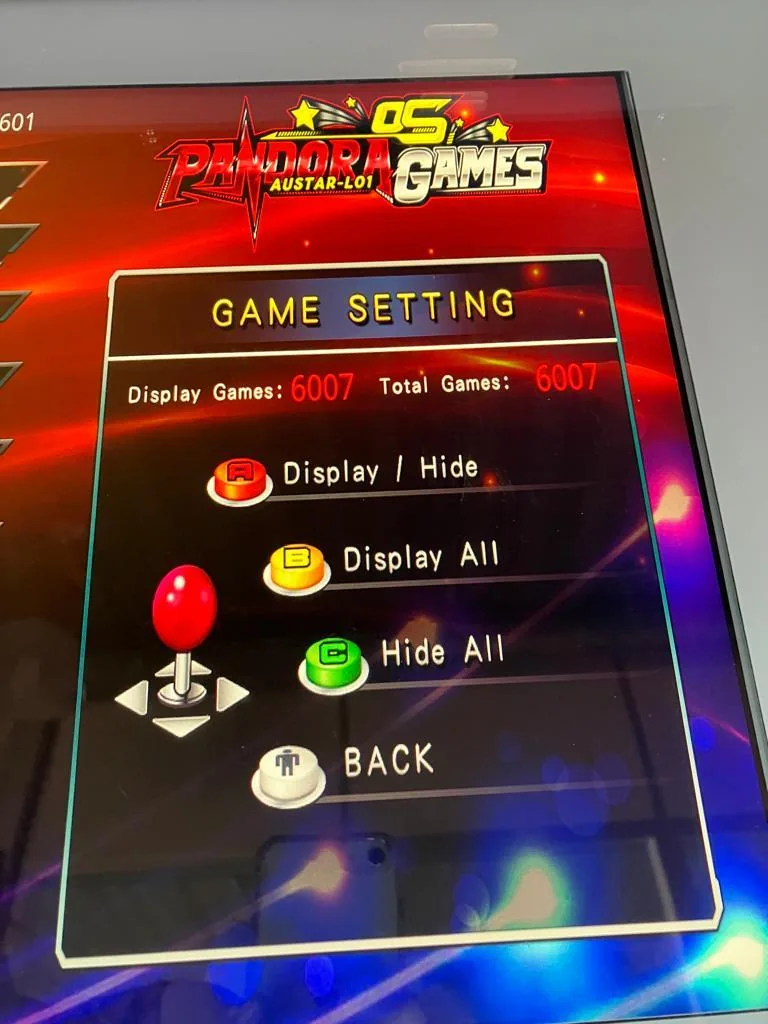
Game settings
You can also customise the games themselves:
Difficulty & lives: press the A button, choose a game with the joystick, and the adjustable aspects appear on the right — adjust difficulty or the number of lives (where applicable) with buttons A, B and C. Press 1P to return to the settings menu.
Edit games list: press the B button, choose a game with the joystick, then hide a game (A), show all games (B) or hide all games (C).
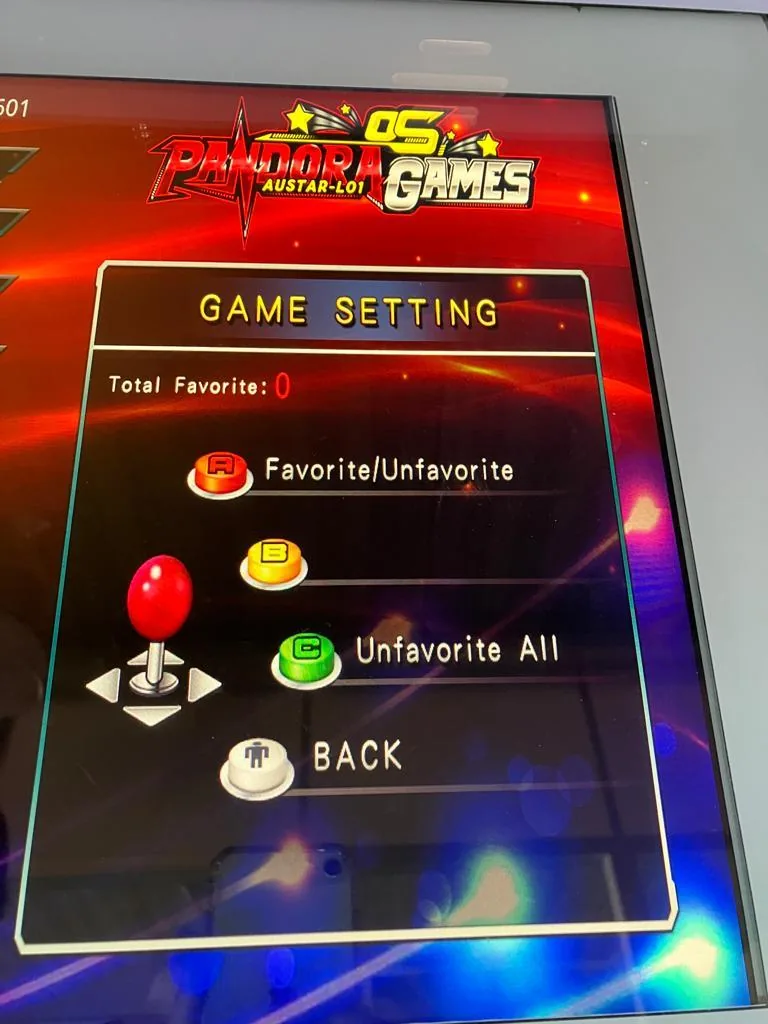
Favourites: press the C button, choose a game and mark it as favourite with the A button. To clear all favourites, press the C button.
Difficulty & lives.
Edit games list.
Mark favourites.
Currency management
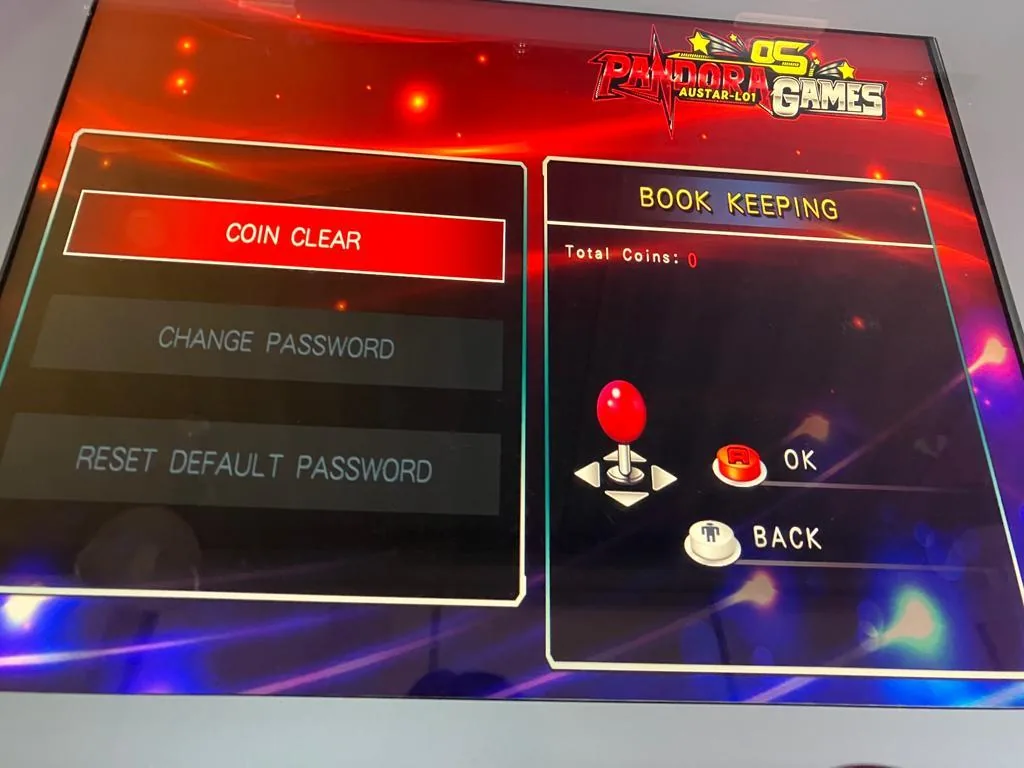
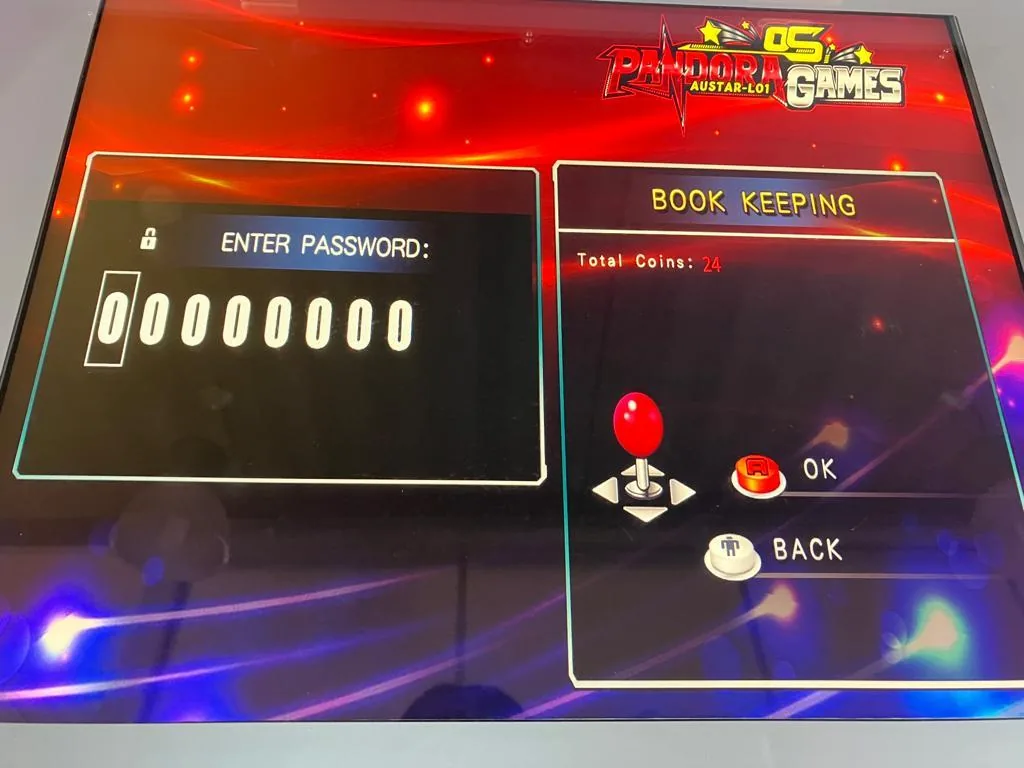
With this function you can read the coin counter — how many coins are in the machine and how many have passed through it. You can reset the counter to 0 with coin clear (A button). You can also set a password here using the joystick: left/right moves horizontally and up/down moves vertically, letting you set digits 0–9 in any position.
Currency management — the coin counter.
Set a password with the joystick.
Language
Five languages are available: English, Spanish, Chinese, Japanese and Korean. Set the language by pressing the A button.
Save settings
Save all your custom settings by pressing the A button.
Restore default settings
Reset all settings to factory settings by pressing the A button.
Taking the machine out of service
Turn off the switch on the back of the machine and remove the plug from the socket so the power supply is completely interrupted. Do not leave the machine unattended while it is connected to the power supply.
Festivals & public events, Parties & celebrations, Roadshows
Features
Custom-brandable led lighting, free play , coin comparator, lights, sounds
Contains
3000+ games
Reference
MFA-bartop-purle-lightning
Specifications may vary or change over time. Verify all specifications prior to purchase. No rights can be derived from this information.
Questions
Can it be branded with our design?
Yes — most machines can be branded by our design department per your specifications. Simply send your artwork and our team will go to work for you, delivering a turn-key custom-branded solution.
Do you provide warranty on your machines?
Absolutely! Each machine comes standard with a 1-year full service and parts warranty at any of our service centers, no questions asked. You can extend warranty to a full 2 years by clicking the option box above (highly recommended). See our T&C for details.
Do you ship to my country?
Yes — for sales we ship worldwide; for rentals we prefer to limit shipping to Western Europe. And if you have your own carrier account (FedEx, DHL, etc.) you can always arrange to have your order picked up from our service centers.
How are products packed?
For trucking, train or air cargo, crating is needed — check the option box above to add the custom wooden protective crating the carrier requires. If you arrange your own pickup, crating is optional and may save you the cost of having a custom frame built.
Do you offer volume or bundle pricing?
We do. For multiple machines, recurring events or a tailored package, request a quote and we’ll put together the sharpest price.
Can we see it in action first?
Many machines have a demo video on this page, and you’re welcome to see one running at our Goirle service center by appointment.






 English
  French
  German
  Spanish
  Italian
  Dutch
Dutch  Portuguese
  Polish
  Bulgarian
  Swedish
  Romanian
  Danish